

Scrolling is easy. Making someone stop scrolling is now an art! Your content needs that instant WOW factor. Social media templates help you create attractive posts, stories, banners, and marketing graphics without turning your day into a never-ending design marathon. Platforms like Canva, Adobe Express, Figma, and Envato offer everything from free creative templates to premium social media branding kits for a consistent brand identity with the best social media branding package.
Quick Picks table:
| Your Design Mood | Best Platform |
| Best free templates | Canva |
| Best for beginners | Adobe Express |
| Best for professional designers | Envato Elements |
| Best branding inspiration | Dribbble |
| Best for Figma users | Figma Community |
What Are Social Media Templates?
Social media templates are pre-designed templates with easy access to editable text, graphics, colors, and image spaces for creating posts, advertisements, stories, and other digital content.
Template vs. Mockup vs. Branding Kit
Template: an editable design you can use for restyling with your own choices.
Social media post mockup: gives you an idea of how your preferred design might look on a phone or social platform.
Branding kit: brings together your logo, fonts, colors, and visual guidelines. Different jobs, different tools!
Who Uses Social Media Templates
Anyone can use social media templates, from students, small businesses, influencers, marketers, agencies, freelancers, to social media managers, in creating professional-looking content without hiring a designer for every post.
Benefits of Using Templates (speed, consistency, cost)
Templates save design time, reduce production costs, and help maintain visual consistency. They also make it easier to plan content in advance.
Types of Social Media Templates

Different content, different vibe. Here’s what you can create with the right social media assets.
Post Templates (feed posts, carousels)
Create eye-catching product showcases, educational posts, announcements, and multi-slide carousels. Ideal for getting your message across without having your audience read a digital novel.
Story and Reel Cover Templates
Make your Stories and Reels stand out with vertical layouts, eye-catching covers, and branded highlights.
Social Media Banners and Cover Images
Give your Facebook, LinkedIn, and YouTube profiles a professional facelift with branded social media banners and cover graphics.
Social Media Flyer Templates
Promoting a sale, launching an event, or promoting a special offer? A social media flyer is the way to go to get the information across in a visually attractive way.
Social Media Profile Templates
Create coordinated profile visuals, display graphics, profile banners, and highlight covers. Your profile really does deserve more than just a random logo upload!
Quote, Promo and Announcement Templates
Share customer testimonials, inspirational quotes, discounts, product launches, and all the exciting brand news with your customers using the content template.
Sample Social Media Posts (examples by goal)
Need some inspiration? Go for product launches, before and after shots, customer reviews, some educational content, seasonal campaigns, and of course some behind-the-scenes.
Best Free Social Media Templates
These platforms provide free templates as well as a range of useful editing features to enable you to produce really professional social media content.
Canva
Offers pre-made templates for posts, Stories, flyers and banners with an easy drag-and-drop editor. You can customise the fonts, colours, images and layouts without having to have any design skills at all.
Adobe Express
Helps to create social graphics, promotional videos and branded content using a range of editable templates, image effects and resizing tools. Excellent for producing high-quality visuals in a hurry.
Figma Community
Offers community-created, editable design files for social media graphics and brand layout. Particularly useful for designers who want more control over the components, the spacing, etc and who are working in a team.
PosterMyWall
Provides ready-made designs for social media posts, flyers, adverts and promotional videos. Very useful for businesses promoting events, running sales, and so on.
Free Vector and Photo Libraries
Magnific provides creative resources (stock photos, vectors, illustrations, social media graphics, etc.). It’s a useful source of visual content to use in your own designs; just be sure to check the licensing terms before you go and use anything commercially.
Free vs. Paid Comparison Table (limits, watermarks, commercial use)
| Feature | Free | Premium |
| Template selection | Basic and varied options | Larger collections and exclusive designs |
| Customization | Platform-dependent features | Often includes advanced editing options |
| Watermarks | May apply | Usually watermark-free |
| Commercial usage | Depends on the license | Depends on the license |
| Exclusive designs | Limited availability | More premium options |
Quick Tip: Free doesn’t always mean free for commercial use, and premium doesn’t mean unlimited rights. Always check the license before publishing or selling your designs.
Best Premium Social Media Template Marketplaces
Premium marketplaces offer professionally designed templates, niche-specific graphics, and branding resources
Envato Elements
Offer a subscription-based library of editable social media graphics, promo templates, and brand assets. Perfect for marketers and creatives who are constantly running campaigns and need a range of designs.
Creative Market and Etsy
Offer individually purchased template packs, Canva layouts, niche-specific graphics, and branding kits. Excellent if you’re looking for some unique designs without the commitment of a subscription.
Dribbble and Designer Shops
Showcases professional design concepts and the work of independent designers to help you find new styles and specialist template collections. Very useful when the standard templates just aren’t cutting it.
Subscription vs. One-Time Purchase
Subscriptions give you access to a much larger design library and are ideal if you’re creating content on a regular basis. One-off purchases are best if you’re only doing occasional projects and just need a specific template pack.
Social Media Templates by Platform
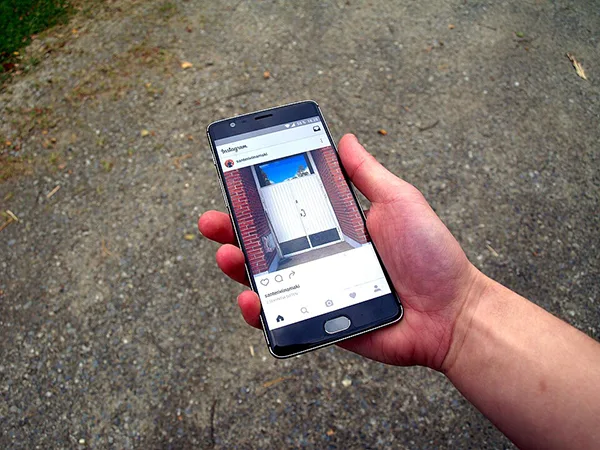
Social media templates work in accordance with the various platforms, as each platform has its own content style and audience in mind.
Use square posts for your feed graphics, carousels for your educational content, and vertical templates for your Stories and Reels. That way, you’re maintaining a consistent visual identity and keeping the content interesting.
Create promotional posts, event announcements, business updates, and cover images using the Facebook-specific layouts. These are useful for community building, local promotion, and brand awareness.
Designing professional company updates, industry insights, job board announcements and personal brand graphics. Clean layouts and clean typography to ensure the business information is communicated clearly.
TikTok and YouTube
Use vertical video templates for TikTok and YouTube Shorts and create your own custom thumbnails and channel banners for YouTube. The visuals are there to maintain a consistent brand image and make your videos more identifiable.
Pinterest and X
Pinterest templates work best for vertical Pins, infographics, and product inspiration, while X graphics support announcements, promotional updates, and branded headers. Both platforms benefit from clear messaging and easily recognizable visuals.
Social Media Size Cheat Sheet (table, 2026 dimensions)
| Platform | Recommended Size |
| Instagram Square Post | 1080 × 1080 px |
| Instagram Portrait Post | 1080 × 1350 px |
| Instagram Story/Reel | 1080 × 1920 px |
| Facebook Cover | 851 × 315 px |
| LinkedIn Post (Landscape) | 1200 × 627 px |
| LinkedIn Personal Cover | 1584 × 396 px |
| TikTok Video | 1080 × 1920 px |
| YouTube Thumbnail | 1280 × 720 px |
| YouTube Banner | 2560 × 1440 px |
| Pinterest Pin | 1000 × 1500 px |
| X Header | 1500 × 500 px |
Social Media Branding Package and Branding Kit
A social media branding kit keeps your brand visuals consistent across platforms, making your business easier to recognize and remember.
What’s Included?
A typical branding kit includes logo variations, brand colors, fonts, post templates, Story layouts, banners, and reusable graphic elements.
Social Media Marketing Kit Checklist
- Primary and secondary logo versions
- Brand colors and typography
- Post, Story, and carousel templates
- Profile pictures and cover graphics
- Promotional and announcement designs
Social Media Assets You Need Before Launch
Prepare your logo, brand guidelines, product images, profile graphics, and reusable templates before publishing your first post.
Branding Package vs. Individual Templates
Individual templates help create specific posts, while a branding package provides a consistent visual system for your entire social media presence.
Social Media Templates by Industry and Use Case
Different industries need different content styles. Choosing niche-specific templates makes your promotions more relevant and visually appealing.
Small Business and Local Services
Use templates for service promotions, customer reviews, special offers, and business updates to attract local customers.
Real Estate, Beauty and Fitness
Create property listings, beauty transformations, workout tips, service showcases, and client result graphics.
Restaurants and Retail
Design menu posts, new product showcases, seasonal offers, and discount announcements to promote products and drive sales.
Agencies and Freelancers
Showcase portfolios, client projects, case studies, services, and industry tips to build credibility and attract leads.
Creators and Influencers
Use personal branding graphics, collaboration announcements, media kits, and content covers to build a recognizable online presence.
Specialty Templates
Beyond the standard posts, there are specialist templates for presentations, content planning, client work, and brand documentation.
Social Media Post Mockup Templates
Display your designs within realistic phone screens or social media layouts. Very useful for client presentations, portfolios, and design previews.
Social Media Portfolio Templates
Organise your design projects, past campaigns, and creative work into a proper portfolio to present your skills.
Social Media Guidelines Template (Free Download)
Just create a simple brand guide covering logo usage, colours, fonts, image style, tone of voice, and all the various design rules to ensure consistency of the content.
Content Calendar and Planning Templates
Plan your post ideas, captions, publishing dates, platforms, and campaign themes all in one centralised schedule. No more last-minute content mayhem!
How to Customize a Social Media Template

Step 1: Apply Your Brand Colors and Fonts
Replace the default colours and typography with your brand palette and selected fonts to ensure visual consistency.
Step 2: Add Your Logo and Images
Insert your logo, product photos, and relevant visuals. Use high-quality images that match your brand style.
Step 3: Edit Text for Readability
Write clear headlines, clear supporting text, and relevant calls to action. The key message has to be easy to understand.
Step 4: Export in the Right Format and Size
Choose PNG for graphics (they’ll be sharp), JPG for photos, and MP4 for videos. Make sure the dimensions are correct for your platform.
How to Choose the Right Social Media Template
Brand Fit and Flexibility
Choose designs that are appropriate for your brand personality, your target market, and your industry. Look for designs that are easy to customise.
Editable Formats (PSD, AI, Figma, Canva)
Check that the templates are available in PSD, AI, Figma, or Canva format. Pick the ones that are appropriate for your software and your editing requirements.
Licensing and Commercial Use
Check the usage rights before you go and use any of the templates for business promotion, client work, or resale. Some of the assets do have restrictions on commercial use and redistribution.
Social Media Template Design Tips
Keep Visual Consistency Across Posts
Use consistent colours, fonts, logos and graphic styles to ensure your brand is recognisable across all platforms.
Use Hierarchy and White Space
Make the headlines and the key bits stand out via clear typographic treatment, good use of space, and a well-balanced layout. Don’t clutter your design.
Common Template Mistakes
Avoid too many fonts, low-res images, cluttered layouts, and incorrect dimensions. All of those things can turn a decent design into a very unprofessional one.
Avoiding the “Template Look”
Customise ready-made layouts with your own photos, your own brand elements, and your own messaging. A touch of originality makes all the difference in terms of making the design feel unique.
Templates vs. Custom Social Media Design
When Templates Are Enough
Templates are great for routine posts, simple announcements, product promotions, and the like.
When You Need Custom Design
Custom designs are best for big campaigns, distinct brand identities, complex visuals, and very specific creative briefs.
What a Branding Agency Delivers
A branding agency can create the visual identity, brand guidelines, bespoke social graphics, and platform-specific design systems to ensure a consistent brand.
Get Social Media Designs That Mean Business with Pixifyo
Your brand has a story and your designs should tell that story. Pixifyo (a Dallas-based design team) creates custom social media graphics, brand identities, and visual assets to help businesses establish a real, tangible online presence.
Have a look at our design portfolio or just request a free quote to bring your next creative idea to life.
A little bonus: Get our free social media template starter set and that’ll make your next content planning session a lot easier.
Final Verdict: Which Templates Should You Use?
Free templates are great for your day-to-day posts, the premium kits give you a bit more scope, and the custom designs are the ones that really give your brand a look. Pick what suits your business, not just what looks good on the screen. A little bit of visual consistency can make a huge difference.
Frequently Asked Questions (FAQPage Schema)
Where can I find free social media templates?
No need to start from scratch, really. There are plenty of free template options available via Canva, Adobe Express, the Figma Community, PosterMyWall, and Magnific to help you produce social media content with considerably less effort.
What are the best social media templates?
Look for templates that are easy to edit, will fit your platform’s dimensions, and match your brand. The best design isn’t just something that looks good; it’s one that makes your content easier to understand.
What size should social media templates be?
Start off with 1080 x 1080px for your square posts and 1080 x 1920px for your Stories, Reels, and vertical videos. Always check the platform guidelines prior to publishing to ensure you’re not getting cropped in an awkward way.
What is a social media branding kit?
Think of it as your brand’s visual rulebook. It’s all the logos, colours, fonts, banners, and reusable layouts that you can use to maintain a consistent look across your social media.
What is included in a social media marketing kit?
A marketing kit will typically contain your promotional graphics, post templates, profile images, brand guidelines, and all the other bits and pieces you need to give your social media promotions a bit more structure.
Can I use social media templates commercially?
Yes, but always read the licence first. Some of the templates will allow commercial use; others will have restrictions on editing, redistribution, or use of the included design assets.
How do I make my own social media templates?
Start with Canva, Adobe Express, or Figma. Set your brand colours and fonts, create a few reusable layouts, and save those for future posts. A bit of organisation makes a massive difference.
What should a social media guidelines template include?
Include logo usage, colour palettes, fonts, image styles, tone of voice, layout rules, and any platform-specific design requirements. Clear guidelines will ensure your brand looks consistent regardless of who is managing the content.
Are Canva templates good enough for business?
Yes, Canva templates are great for regular business posts, announcements, and promotions.