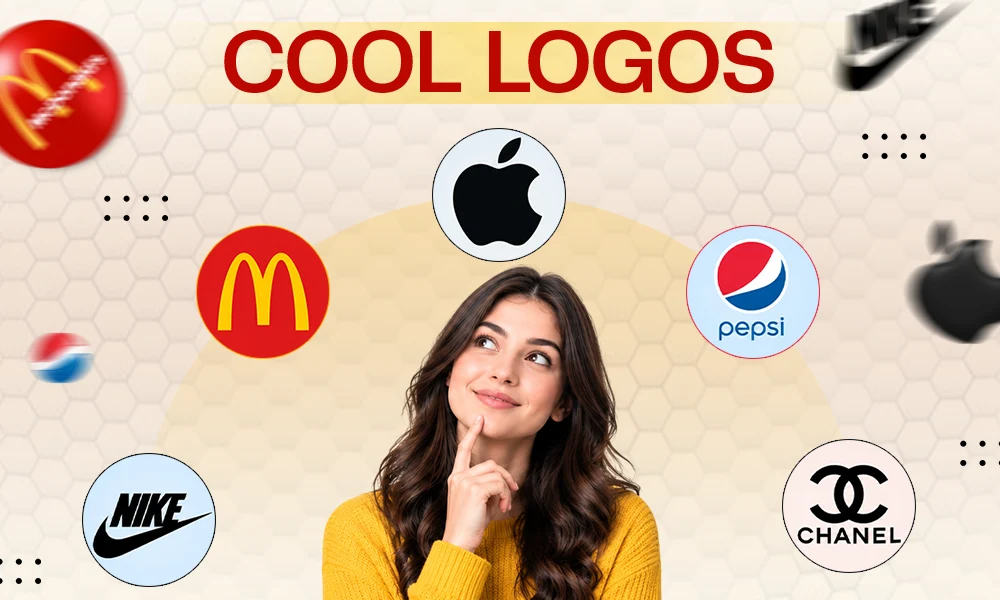
How do you recognise a brand? The answer may vary, but it somehow leads you to its logo, which is what makes a brand memorable. But how does a simple drawing or design create such an impact, and how can one do this as well? In this guide, we’ll learn about this question deeply.
Designing a memorable logo needs time- for what? For research, especially to understand the brand, its audience, and its competitors; the next step would be to explore designs to get an idea for yourself with the help of tools. Let’s start from the beginning.
Quick Answer: How To Design A Logo In 10 Steps
- Understand the brand
- Understand the competitors
- Collect ideas
- Start building your concepts
- Select the combination of colors
- Select the typography
- Build your first design
- Experiment with it
- Refine your concepts
- Export the final files
What Makes a Good Logo?
For a successful logo, it is important that it communicates with the viewer and tells about the organization without requiring much effort to understand it.
The 6 Qualities of a Strong Logo
- Simple
- Memorable
- Timeless
- Versatile
- Relevant
- Distinctive
Logo design vs branding
The related terms are not the same thing; logo design creates the visual identity of the brand, whereas branding sets up the tone, personality, and experience of the business.
Designing a logo includes things like color palette, lettering, decisions about the symbol, proportions, and different versions of the logo. Branding, on the other hand, includes brand identity and positioning of the business.
Why your logo matters for your business growth
Your logo helps identify your business, and a professional logo can support:-
- Recognition
- Consistency
- Credibility
- Differentiation
- Brand recall
Logo Design and Brand Equity: Why Your Logo Is an Asset
What is brand equity
Brand equity is the additional value a brand gets after people experience its services or try their goods of any kind, including customer awareness, perceived quality, positive impression, loyalty, and the ability to influence purchasing decisions.
How a logo builds recognition and trust
When thinking of how to design a logo, think about how a logo plays a significant role in building trust, which depends on the promises and first impression of the company, and making the brand recognizable, which depends on the consistency associated with the meaningful context.
Examples of logos with strong brand equity
- Nike: The swoosh symbol of the brand is quite famous, showcasing the perfect example of simplicity in branding.
- Apple: An apple logo perfectly demonstrates its functionality across different products and services.
- Coca-Cola: Shows how unique typography can become a recognizable brand identifier.
Types of Logos (Choose Your Style)
Understanding each kind of logo can help you select the kind of logo for your business:-
- Wordmark
Business name as the main design element with suitable typography.
- Lettermark/Monogram
initials of the business name or an abbreviation are used.
- Symbol/Pictorial mark
A recognized picture or symbol is used as its primary element.
- Abstract mark
A nonliteral geometric shape is used instead of something already recognizable.
- Mascot
A character or illustrated figure is used to communicate the personality of the business.
- Combination mark
It may bring together the text and a symbol to show the logo of the business.
- Emblem
Text is placed inside a shape, including a badge, seal, or crest.
Which logo type fits your business?
| Logo type | Main strength | Potential limitation | Suitable businesses |
| Wordmark | Clear name recognition | Depends on strong typography | Agencies, fashion, software |
| Lettermark | Compact and practical | Initials may be unfamiliar | Firms with long names |
| Pictorial mark | Easy visual identification | May require brand awareness | Consumer brands, apps |
| Abstract mark | Flexible and distinctive | Meaning may need explanation | Technology, startups |
| Mascot | Personality and approachability | Can become detailed | Food, gaming, sports |
| Combination mark | Name and symbol together | Requires balanced composition | Small businesses, retailers |
| Emblem | Traditional, unified appearance | Can be difficult to scale | Clubs, schools, heritage brands |
How to Design a Logo: 10 Steps
A planned process can be effective when designing a logo, so here’s an effective plan broken down into simple steps:-
Step 1: Define Your Brand
- Understand the product or service and audience of the business
- Write down its uniqueness
- Decide the three things you want the logo to communicate
- Decide where the viewers most often see it
Step 2: Research Competitors and Your Industry
Create a simple research sheet comparing the competitors, like this:-
| Competitor | Visual characteristics | Opportunity for your brand |
| Business A | Dark colors, bold type | Explore a lighter visual approach |
| Business B | Generic industry symbol | Develop a more distinctive symbol |
| Business C | Detailed emblem | Test a simpler and more flexible mark |
Step 3: Gather Inspiration and Build a Mood Board
Create a mood board including:-
- Examples of typography
- Color combinations
- Shapes
- Layouts
- Relevant imagery
That’s how you can establish a direction in designing a logo.
Step 4: Sketch Logo Concepts by Hand
It’s time to explore multiple ideas, and you should try different approaches:-
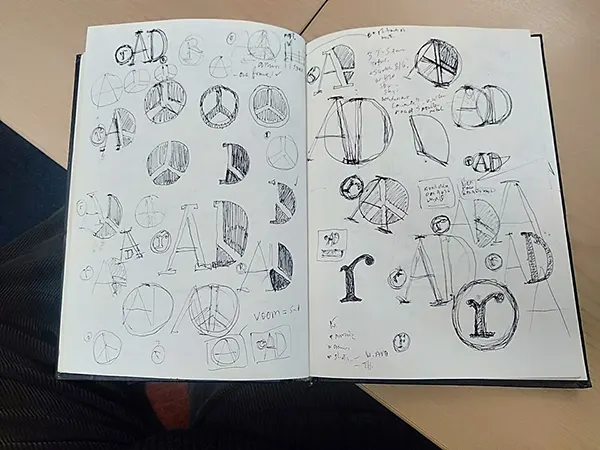
- Try several lettering styles.
- Experiment with the initials or monograms.
- Draw symbols connected to the brand’s values.
- Explore combinations of text and symbols.
- Test horizontal, vertical, and compact arrangements.
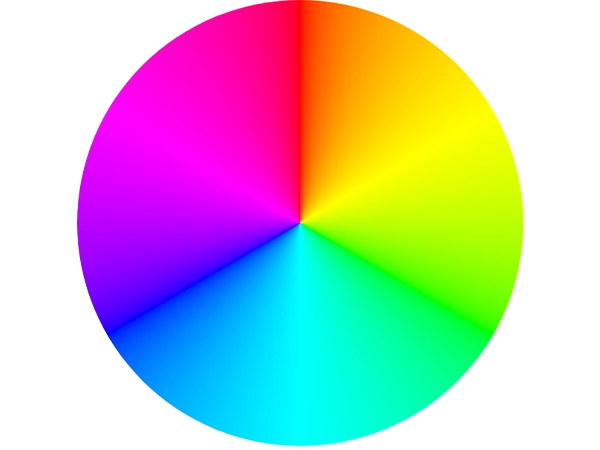
Step 5: Choose Your Colors
The following table provides general associations rather than fixed rules, but it can give you better ideas rather than you wondering in the first place:-
| Color | Common associations | Public applications |
| Blue | Trust, stability, professionalism | Finance, technology, business services |
| Red | Energy, urgency, passion | Food, entertainment, active brands |
| Green | Nature, growth, freshness | Sustainability, gardening, wellness |
| Yellow | Optimism, warmth, attention | Education, creative services, retail |
| Black | Sophistication, strength, simplicity | Luxury, fashion, premium services |
| Purple | Creativity, imagination, individuality | Creative businesses, beauty, lifestyle |
| Orange | Friendliness, enthusiasm, energy | Consumer products, sports, hospitality |
| White | Clarity, openness, minimalism | Clean layouts and contrasting logo versions |
Step 6: Choose Your Typography
Choose a font that speaks to your brand and is still readable at different sizes. Some tips you might need:-
- Pair a distinctive display font with a similar supporting typeface.
- Avoid using several unrelated typefaces in the same logo.
- Check the spacing between letters, especially in short wordmarks.
- Test capitalization and lowercase versions.
- Review how the lettering looks at small sizes.
- Check the font’s licensing terms before using.
Step 7: Build the Logo in Vector Software
Try recreating your hand-drawn design digitally now, where you must follow some things during the build:-
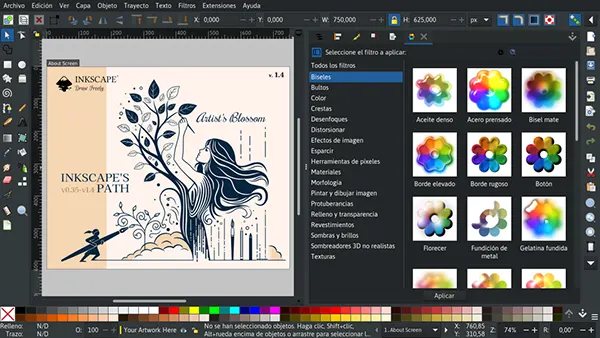
- Set up a clean artboard.
- Create or refine the typography and symbol.
- Align elements using consistent spacing.
- Check proportions and visual balance.
- Remove unnecessary details.
- Create alternate arrangements where needed.
- Keep an editable source file.
Step 8: Test Across Sizes, Backgrounds and Applications
Now it’s time to test your logo in different situations where it could be encountered by viewers. Create previews for:-
- website header
- mobile screen
- social media profile image
- business card
- light and dark background
- small product label or packaging element
- black and white document
Step 9: Get Feedback and Refine
Ask about your logo from relevant people, and instead of asking “Do you like this logo?”, ask:-
- What kind of business do you think this represents?
- What stands out first?
- Is the business name easy to read?
- Does the logo feel appropriate for the intended audience?
- Does it look different from the competitors you know?
- Can you recognize it when it is small?
Step 10: Export Final Files
| File format | Best use | Key consideration |
| SVG | Websites and scalable digital graphics | Check compatibility and embedded assets |
| PNG | Transparent logos for digital use | Resolution depends on exported dimensions |
| Sharing and print workflows | Confirm the document contains suitable vector artwork | |
| JPG | Simple digital previews | Does not support transparency |
| EPS | Some professional print workflows | Confirm the receiving vendor accepts it |
| ICO or suitable favicon assets | Browser and site icons | Prepare sizes and formats supported by the site |
How to Design a Logo for Free
If you think expensive tools are required to meet high expectations, then you must consider some free tools that produce the intended outcomes.
Best Free Logo Makers and Generators Compared
| Tool | Main Approach | Export Quality And Availability | Potential Limitations |
| Design.Com Logo Maker | Online Logo Creation | Confirm Available Formats And Resolution | Some Downloads Or Features May Require Payment |
| Kling AI Logo Maker | AI-Assisted Design Generation | Verify Whether Vector Exports Are Offered | Results May Need Manual Refinement |
| Logo Maker: Design Your Logo (iOS) | Mobile Logo Creation | Check Export Options In The Current App Listing | Editing May Be Less Convenient On A Small Screen |
| Canva | Template-Based Graphic Design | Export Options Depend On The Workflow And Plan | Templates Can Produce Less Distinctive Results |
| Inkscape | Manual Vector Design | Suitable For Scalable Vector Exports | Requires Time To Learn The Software |
| Figma | Browser-Based Design | Supports Practical Digital Design Workflows | Advanced Vector Illustration May Require More Work |
How to Make a Free Logo in 5 Steps
- Step 1: Write about the brand in brief.
- Step 2: Select the suitable tool.
- Step 3: Experiment and explore concepts.
- Step 4: Customize and test.
- Step 5: Export and review.
Free Software for Manual Design
- Inkscape
Used for drawing shapes, editing paths, creating wordmarks, and preparing scalable artwork.
- Canva
User-friendly, with available templates, graphic elements, and an easy-to-use interface.
- Figma
Useful for layout, vector elements, logo variations, and presentation mockups.
Limitations of Free Logos
Some things that can affect logo design when using free logo creation.
- Originality
- Trademark concerns
- File quality
- Customization
- Consistency
Can You Legally Use a Free Logo Maker Design?
You can in some cases, but always check the particular tool’s terms and check for licensing for specific fonts, icons, or illustrations before use. Consider legal guidance while creating a commercial identity.
How to Design a Business Logo
Logo Design for Startups and Small Businesses
Introducing a small business or startup in a logo through the combination of text and a symbol speaks directly to the viewers and tells them about the company. It should be simple and effective.
Logo Design for Service Businesses, Retail and Online Brands
Different models of business require different practical solutions; a professional wordmark or combination mark is good for service businesses, whereas packaging, shopping bags, or labels would be best for retail businesses, and a compact logo is perfect for websites or social media platforms.
Making Your Logo Work on Cards, Websites, Social and Packaging
An effective logo is a logo that works anywhere from websites to social media platforms at different sizes.
Prepare a small set of different versions of the same logo based on where it is being used rather than using the same logo everywhere.
Business Logo Checklist
- Logo reflects purpose and personality
- Business’s name spelled correctly
- Distinct from competitors
- Readable at any size
- Works with dark or light background
- A monochrome version is available
- Tested on digital and print mockups
- Fonts, assets, or icons checked for licensing
- Editable source files with availability of suitable exports
- Usage rules and approved variations are noted
Design a Logo with AI Tools: Pros and Cons
How AI Logo Generators Work
Enter the information related to the business name, industry, preferred style, colors, or a short description in the AI-assisted tool when it asks you to, and compare the resulting concepts and select the one that suits you the most.
Prompts That Produce Better Logos
An effective prompt should include some important things to get the intended results:-
- Logo type
- Personality description
- Preferred colour palette
- Intended background
- Simple scalable silhouette
- Font and symbol, which one needs to take centre stage
Where AI Falls Short
There are things where AI could go wrong, not as expected, because of the available data from the internet it uses:-
- Originality
- Copyright and licensing
- Consistency
- Typography
- Brand strategy
Logo Design Tools Compared: Software, Apps and Contests
Professional Software
- Adobe illustrator
Best for precise shape construction, typography, and scalable artwork.
- Affinity
Best for logo creation and production.
- Figma
Best for digital design, layout, collaboration, and creating logo variations or presentation mockups.
Logo Maker Apps
Apps available on mobile devices are a good starting point to explore different concepts for beginners and a convenient way to do quick experiments, precise typography adjustments, and production management.
Design Contests and Freelance Marketplaces
There is a huge market outside of freelancers, and numerous artists are waiting for design contests. Freelancers work under the agreed brief and scope, and the supplied freelancer contest invites numerous artists to submit their concepts under the specific rules and eligibility. One should clarify things before hiring anyone:-
- Number of initial concepts
- Number of revisions
- Final deliverables and source files
- Ownership and licensing terms
- Expected turnaround time
- Whether additional brand guidelines are included
Online Courses and Tutorials
Online courses and tutorials are a great way to build or improve your skills in sketching, typography, vector drawing, presentation, and exporting. Practicing always makes anyone perfect, and in this field, before committing to a real commercial project, practice helps give you direction and style.
Logo Design Mistakes to Avoid
A logo may be appealing but not functional for the company. Do not fall prey to these mistakes when developing and reviewing your logo concepts.
- Too complex or trendy
- Poor font and color choices
- Copying or using stock clip art
- Not testing in black and white or small sizes
- Skipping brand guidelines
How to Present a Logo to Clients or Stakeholders
Presenting a logo to clients includes an explanation of the design, showcasing how a concept supports the brand, and demonstrating how it can work in practice.
Logo Presentation Structure
- A brief recap of the brand
- Explain the concept and information
- Explain the design
- Variations of the logo
- Real-world applications
- Revision after feedback and final delivery process
Mockups that sell your design
It helps stakeholders visualize the logo outside its designed area. Select the relevant option for your business:-
- A website header and mobile screen
- Business cards and stationery
- Product labels or packaging
- Social media profile image
- Storefront signage
- Uniforms or branded materials where relevant
Handling feedback and revisions
You should ask for feedback from your stakeholders to improve the logo. If the feedback turns into conflict, then explain all your additions to the logo with valid points and assure them of a better logo.
What to Do After Your Logo Is Designed
Create Brand Guidelines
Brand guidelines explain some things, which include:-
- The primary logo and approved alternatives.
- Brand colors and their digital or print values.
- Typeface names and licensing details.
- Clear-space and minimum-size guidance.
- Approved backgrounds.
- Rules for monochrome use.
- Examples of incorrect logo treatment.
- Locations of the final source files.
Trademark and Protect Your Logo
You must check for the existence of your proposed name and logo before investing anything in changing the identity, and protect your logo and name if there’s no similar logo or name in existence.
Roll out across website, social, and print
Create a checklist for the application of the new identity, including main websites, business profiles, social media, etc.
DIY Logo vs. Hiring a Professional Designer
A do-it-yourself logo may work fine for an initial experiment or small project with simple specifications. However, a professional designer becomes relevant when original ideas, design accuracy, and a logo system, along with guidelines for use, become essential.
Cost Comparison
| Approach | Relative cost | Main advantage | Potential limitation |
| DIY (free tools) | Low or no | Accessible and flexible | Requires time and skills |
| Paid logo maker | Low to moderate | Guided process and convenient exports | Customization and licensing may vary |
| Freelance designer | Varies by scope and experience | Direct collaboration and tailored work | Quality and scope depend on the agreement |
| Branding agency | Usually higher | Broader strategic and identity support | High investment and more involvement |
When DIY works
- When testing a business idea
- When a temporary identity is required
- When you have straightforward requirements
- When you feel ready to learn the basics
- When you can verify licensing and export needs
- When you have time to test and refine
When to hire a branding agency
An agency can be helpful when your logo is a central theme of the business, or you are thinking of rebranding.
What a professional process includes
- Researching and briefing
- Competitor and audience research
- Concept development and exploration
- Presentation
- Feedback and revision
- Final vector artwork and alternate versions
- Export and handover
- Broader brand guidelines
Logo Design Inspiration and Examples
Minimalist, Vintage, Modern and Dark/Monochrome Logos
- Minimalist logos
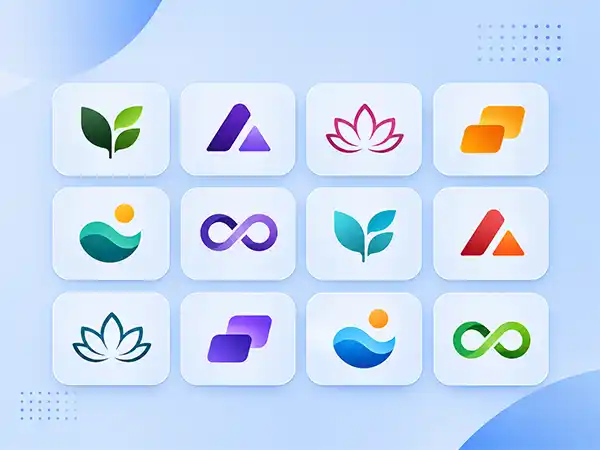
- Vintage logos
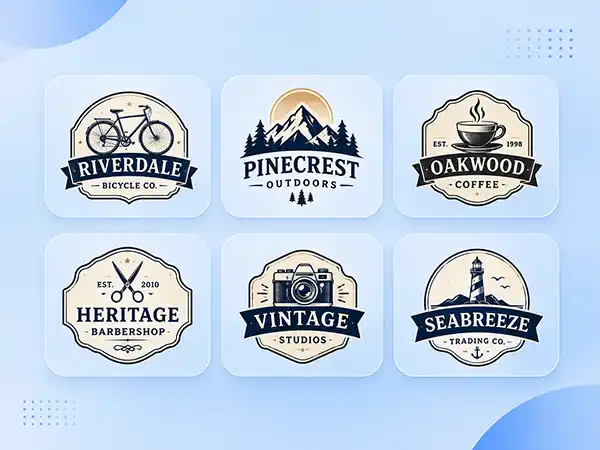
- Modern logos
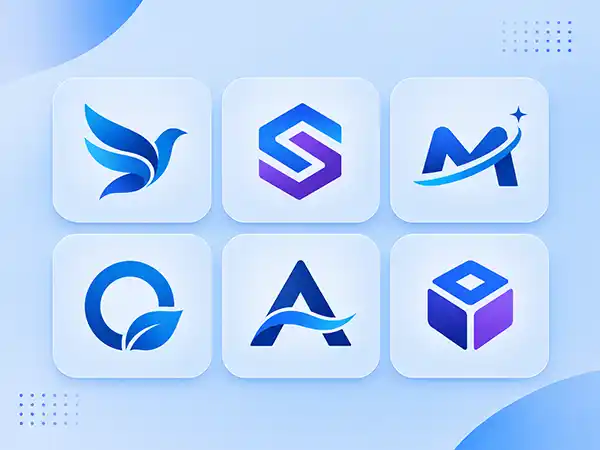
- Dark or monochrome logos

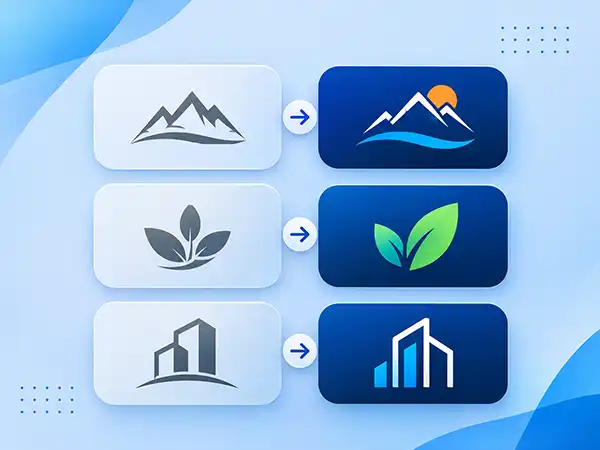
Before and after redesigns
Get a Custom Logo from Pixifyo
So far, you must understand how important a logo is and how it shapes the mindset of a viewer towards the brand. Pixifyo provides logo design services for every kind of industry with a proper and steady process that begins with proper research and ends with your satisfaction. Serving concepts in the first 24 – 48 hours and 2 to 4 days for final delivery, with quick revisions.
Frequently Asked Questions
How do I design a logo step by step?
Describe your brand identity, analyze your competitors, collect inspiration, develop concept sketches, select colors and fonts, design the logo, test it out, perfect it, and export your files.
How do I design a logo for free?
Canva, Inkscape, or Figma can help you create your logo, which you can customize accordingly.
How do I design a business logo?
Determine your audience, brand character, and special characteristics to select a fitting logo style. Test your logo on websites, social media, business cards, and packaging.
What is the best free logo maker?
While Canva is easy to use for design templates, Inkscape allows for better control over vector graphics. The best tool to use will depend on your requirements.
Can I make a free logo and use it commercially?
Absolutely, provided that the conditions under which the tool is used, along with the font, icon, and template licensing, allow such usage.
What software do designers use to create logos?
The design software usually used includes Adobe Illustrator, Affinity, Inkscape, and Figma. Vector-based software is very efficient in designing logos.
What file formats do I need for my logo?
SVG for scalable digital graphics, PNG for transparent digital graphics, and PDF for various printing processes. Maintain an editable source file and create favicon graphics if necessary.
What colors and fonts should I use for my logo?
Select color combinations and fonts that suit your brand persona and that resonate with your target audience. Keep in mind the four (readability, contrast, simplicity, and consistency) design considerations.
How much does it cost to have a logo designed?
Cost can start from free, self-done work all the way to hiring professional freelancers and brand agencies. It is determined by the experience of the designer, the complexity of the design, and other factors.
How long does it take to design a logo?
While a home-made logo design may take only some hours to create, a professional one can take even several days to be done.
What is brand equity, and how does a logo affect it?
Brand equity is the value attributed to customers’ knowledge, perceptions, and loyalty towards a brand. The logo serves to ensure brand recognition, while trust stems from the general customer experience.
Can I design a logo with AI?
Indeed, there are tools that enable the creation of logos from descriptions using artificial intelligence. The generated design will need to be perfected and its originality verified before use for commercial purposes.
Conclusion
The first step towards designing a logo is getting to know the brand, not selecting a certain color or making an illustration. The process includes defining the audience and personality of your brand, researching competitors, gathering inspiration, coming up with design ideas, selecting colors and fonts, making a vector design, testing it in real-life conditions, revising it with feedback, and exporting the final files.
No matter what option you use, remember to focus on clarity, distinctiveness, versatility, and proper licensing. A logo should not only be nice to look at in the designer’s palette, but also work well wherever your customers see your brand.
If you want to design a logo for a new or revised brand identity, contact Pixifyo for help with your brand design.