

Websites are the digital face of a brand. So designing it demands dedicated endeavors to engage more users. But pulling visitors is not as simple as it seems. Multiple factors cumulatively impact the performance of a website, one being UI design.
User Interface design is a process that uses a homogeneous amalgam of text and visuals to convey a message. But how you use them decides how the website performs on the internet.
If you are a beginner in this field, then you might have certain genuine doubts. Here, I will explore and explain all the key facets of it, which you might be looking for as a novice in this field.
What is User Interface Design?
A user interface is the medium of interaction between humans and machines, such as a website, OS interfaces of gadgets like a smartphone or tablet, or voice interfaces like Google Assistant.
The definition of interface design may differ from organization to organization, but its core purpose is to help the user utilize the available resources to the fullest.
Have you ever thought about why the government website looks so simple, with no attractive elements and just stuffed with written information, and on the flip side, Apple, Microsoft, and Airbnb have such sophisticated and relatable web interfaces?
This is because the government websites work for social causes and don’t aim for profits, so they keep their UI simple. While corporate firms work on principles of monetary benefits, they make an attractive UI to convert visitors into customers.
You will be surprised to know that Alexa and Siri, which act on your voice commands, are also a kind of voice user interface.
Let me take you through the types of UI to make things simple and understandable.
Types Of User Interfaces
The three major types of user interface are:
- Graphic User Interface: It is concerned with the graphical and visual elements for interacting with the user, like the websites on the internet.
- Menu-Driven User Interface: In this UI, a list of menus is used to help users browse through the options to avail services. Ex. ATMs or order-taking machines at McDonald’s.
- Voice Under Interface: It uses natural language commands to interact with the users. For example, Siri in iPhones and Meta in Meta Goggles.
The 2nd type in the above list doesn’t need elaborate UI design, and the last option doesn’t require it at all. So here we will discuss the first one, i.e., Graphical user interface design.
But the first thing is, why is it so important?
Why Is User Interface Design Important?
The user interface design is crucial to:
- Leave an Impression: Only an intuitive user interface design can attract the organic traffic and genuinely hook the visitors.
- Enhance User Experience: A commendable UI translates to a great user experience, which ultimately makes visitors come back over and again.
- Elevate Accessibility: It must serve the purpose it has been made for, i.e., assisting the visitor in getting what they want, be it any product, service, or just information.
- Boost Branding: Only 1-2% of the total visitors order a product or service from the website. But the firm also targets the 98-99% just to boost the brand image and authority by attracting them through an intuitive UI.
What is the Difference Between UX And UI?
The UX and UI are sometimes used interchangeably, but have some basic differences that, as an aspiring UI designer, you must clearly understand. The major distinctions between UI and UX are:
| Difference | UI | UX |
| Full Form | User Interface | User Experience |
| Aim | Focuses on visual elements | Emphasize overall experience |
| Scope | Interactive aspect of the product | Users’ journey throughout the interaction process |
| Tools | Figma, Sketch, InDesign | Data Analysis Tools, Product Management Tools |
But they have some commonalities as well. They both:
- Targets the user
- Rely on prototyping, testing, and improvement loops.
- Boost branding and profit
Now we will move to the main substance of the discussion, i.e., the UI designing basics and process.
Basics Of User Interface Design
User Interface design is an interplay between the graphics, texts, buttons, color selection, and basic aesthetics. You need to understand the basics to keep your concepts clear.
Firstly, you must learn that intent determines how the user interface will be designed.
Do me a favour, visit Medium and Disney‘s site and compare their homepages. You will notice that while Medium is more text-favoring as its function is to publish content, the UI of Disney is more graphical and visually appealing because of its foundation in entertainment.
Here, understanding the components of user interface design is very important. These are:
- Informational elements for assisting or informing the user through notifications, icons, progress bars, etc.
- Containers like cards, models, or accordions for simplified graphical organization.
- Navigational components to help the user move from one part or page to another.
- Input features such as text fields, checkboxes, and toggle switches to get a response from visitors.
Besides, keep certain driving principles in mind throughout your design process. These are:
- Control: It must have interactive elements with clear commands and suggestions for visitors browsing through it.
- Consistency: Components of the user interface must have similarity in architecture, texture, topography, and fundamental structure to bring a sense of coherence.
- Clarity: The user can identify the links, dropdowns, buttons, menus, and navigation cues clearly.
- Comfort: Simple language and format are always appreciated to make the information and intent clear.
- Ease: Make sure your UI design conveys the brand message and assists the user in getting what they want.
- Accessibility: The user interface design must not be so heavy causing the site to load and respond slowly. It must not compromise the website accessibility on search engines at any cost.
Some golden rules that I am providing you below might help you in this entire process.
- The User-First Approach: Engaging the user is the absolute aim of a user interface design. You must structure it in a way that your audience can relate to. Like neon waves on the webpage of a car or bike, or yellow creamy cheese texture on a pizza website.
- Target Time Efficiency: The users have visited your website for a reason. Make sure they get what they want in the least possible time. Be it making orders, searching for information, or learning something. Don’t mess up the design as it will proportionally increase the user bounce rate.
- Make a flow: Website content must go in a flow. Firstly, the brand or the main products, then basic information, then specifications, and lastly contact details or interactional elements. The menus and buttons must appear clearly to browse other pages, too.
- Dont Overload The User: Make sure you dont overload the user interface design with graphics, animations, or texts. It must be a homogeneous blend of all its elements.
Next comes the process of user interface design.
What Is The User Interface Design Process?
Making a user interface design is a multistep process, which goes from simple research to sophisticated design. Here goes the stepwise process with a clear description.
- Conduct Research: While keeping the intent in mind, research about what people are searching for, what UI elements are getting more interactions, and try to learn their pain points. Here you can go with user personas to understand how different people are responding to the product websites.
- Create a Vision for Interfaces: A clear vision will be your roadmap for the rest of the process. Select the typography, the design types, colours, etc. that will be used throughout the website to keep consistency.
- Make a Wireframe: Wireframes depict the structure and layout of the interface. But they are not concerned with detailed design components. Just map out the interfaces through tools like Figma, Balsamiq, Sketch, etc., to make detailed wireframes.
- Build UI Components: Make text fields, buttons, menus, etc., and adjust them at the places where the user can conveniently see and use them. Remember, the position of these elements matters equally as their design.
- Make a Prototype: Make a working model of the user interface design to check its functionality and effectiveness. Use InVision, Adobe XD, or Figma to make such prototypes.
- Implement and Improve: Get the final prototype live and monitor its performance. Check if all functions are working properly, get user feedback to improve, and make changes ASAP.
But what are the tools to use for this entire process? Here’s the answer.
Which Tools Are Used For User Interface Design?
The tools used for user interface design are Figma, Adobe InDesign, XD, Sketch, and Penpot. All these tools have distinct features, strengths, and limitations.
If you are new to the UI designing niche, then I am providing you with a detailed account of these tools to help you choose which one suits you best.
1. Figma
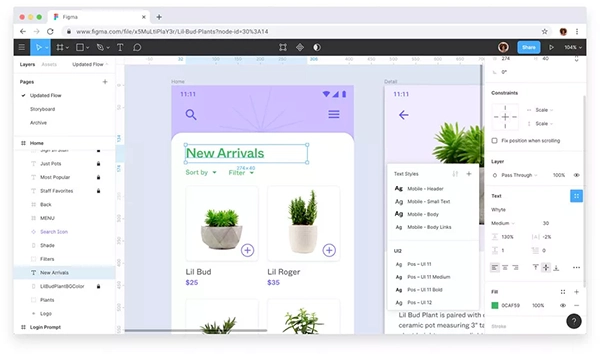
Figma is the most trusted and widely used tool for UI design. Right now, it is the top tool for designing intriguing UIs.
Features
- Vector networking
- Prototyping
- Shared design systems
- Commenting and discussions
- Design history
| Pros | Cons |
|
|
- Professional: $3-16 per month
- Organization: $5-55 per month
- Enterprises: $5-90 per month
2. Adobe InDesign
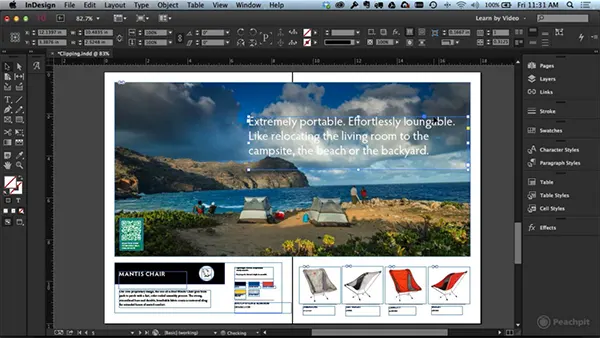
Adobe InDesign is the next option in the list. Adobe has created it as a contender to Figma in this field.
Core Features:
- Autostyle
- Modern graphics
- UXP scripting
- Creative Cloud connectivity
- Preflight and packaging
| Pros | Cons |
|
|
Pricing: $22.99 per month
3. Adobe XD
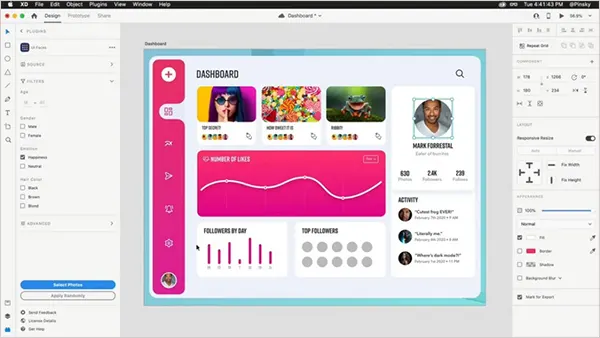
Adobe XD is the next best option available. Although it has ceased working on systems, you can access it through an Adobe Creative Cloud subscription or smartphone and tablet apps.
Core Features:
- Clean interface
- Repeat grid feature
- Vector drawing
- Co-editing
- Integrable plugins
| Pros | Cons |
|
|
Pricing: $69.99 per Month
4. Sketch
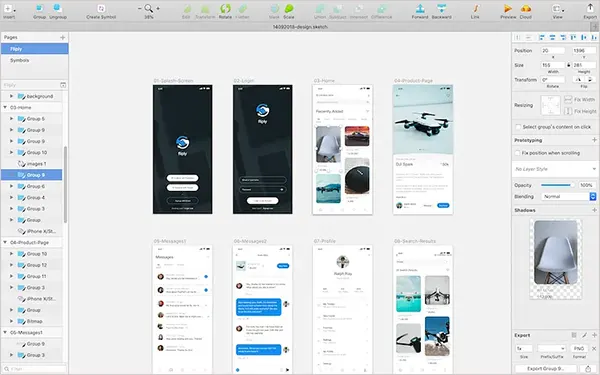
Sketch is one of the finest and simplest tools to use for UI design. Although its interface and tools cater to all essential needs, its unavailability for non-Mac systems restricts its accessibility.
Core Features:
- Artboard for designs
- Colour tokens
- Symbol overrides
- Preview prototype on iPhone
- API access
| Pros | Cons |
|
|
- Standard: €11 per month
- Professional: €22 per month
- Enterprises: €44 per month
5. Penpot
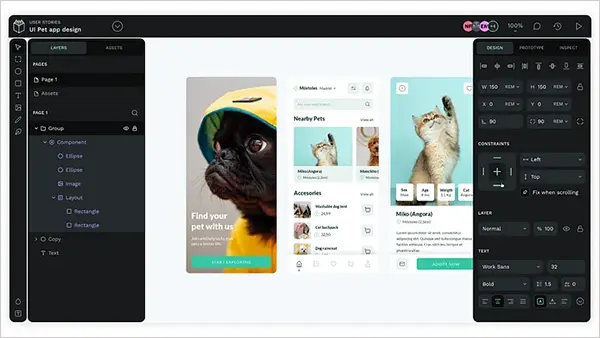
Penpot is another good option on the list. Although it uses less, it is still recognized for making quick UI samples and prototypes.
Core Features:
- Design management
- Prototyping
- Cross-platform access
- Animation an overlays
- Built-in inspect elements
| Pros | Cons |
|
|
- Professional: Free
- Unlimited: $7 per month
- Enterprises: $25 per month
- Private Server: $50k per year
How To Use AI for User Interface Design?
AI is taking over whatever humans can do with gadgets, and user interface design has also fallen within its scope. You can use AI in this field for:
- Research and analytics
- Developing ideas
- Completing repetitive tasks
- Content creation
- Test prototypes
Although you may get ample AI-based user design tools on the internet, highlighting their caliber in design UI, here I am providing you with 5 such options that will definitely help you come up with a design resembling the ideas you have brainstormed.
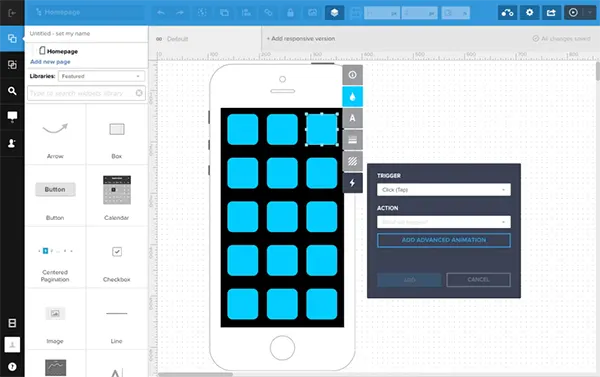
1. UX Pin
| Mertis | Demerits |
|
|
Pricing
| |
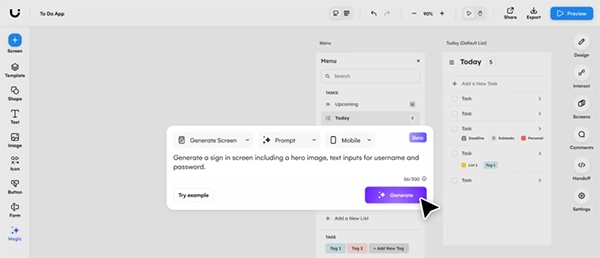
2. Uzard
| Mertis | Demerits |
|
|
Pricing
| |
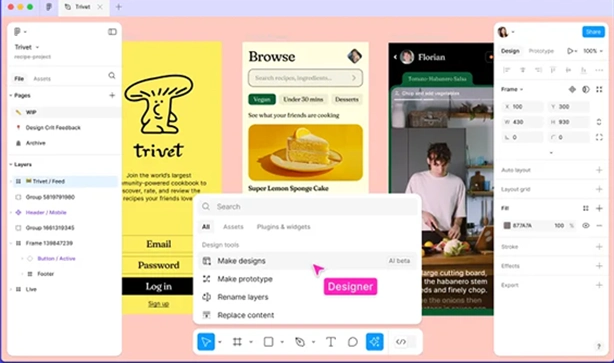
3. FigmaMake
| Mertis | Demerits |
|
|
Pricing:
| |
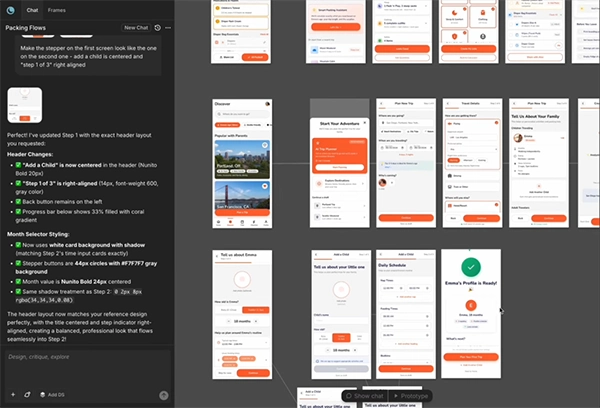
4. Moonchild AI
| Mertis | Demerits |
|
|
Pricing:
| |
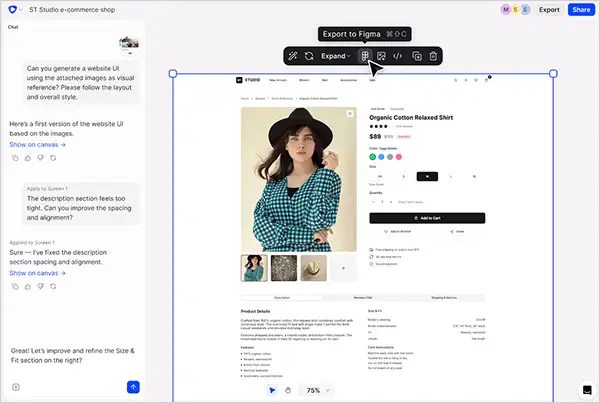
5. Flowstep
| Mertis | Demerits |
|
|
Pricing
| |
Pixifyo Tip: Use Claude, Canva, and Mistral AI to get ideas of interactive UI designs and implement them in Figma, Adobe XD, or other tools you use. Make sure your idea and prompt remain clear.
All these tools have been smartly used by some of the top UI designing firms like Pixifyo UX/UI design team, for creating the best interfaces that match the client’s ideas while simultaneously maintaining the SEO requirements.
Conclusion
User interface design is a creative composition of your idea on a website page. Although it is more of a game of creativity, you need to stick to the core intent and prioritise user convenience while making designs. Always remember, the engagement of the user to your website is the litmus test of how good a UI designer you are. The higher the traffic, the better the UI.
FAQs
Q1: What is the difference between UI and UX design?
UX is deciding how a product feels and works overall, while UI focuses on the looks—the colors, buttons, fonts, and screens you actually see and click on.
Q2: What does a UI designer do daily?
UI designers work on wireframes, UI elements, creating intuitive animations, and testing prototypes. They choose color palettes, typography, interactive buttons, and build layouts for the target users.
Q3: Do you need to code to be a UI designer?
No, you don’t need to code to be a UI designer, but knowing the basics of HTML, CSS, or JavaScript helps you create designs that developers can build.
Q4: What are the main principles of good UI design?
Clarity, consistency, and simplicity are the main principles of good UI design.
Q5: What tools do UI designers use most?
Figma, Adobe XD, Adobe InDesign, Sketch, and Penpot are some of the most commonly used tools for UI design and prototyping.
Sources:
- User Interface by Adobe
- Exploring the Fundamentals of Interaction Design by Carnegie Mellon University
- Getting started in design by Figma