

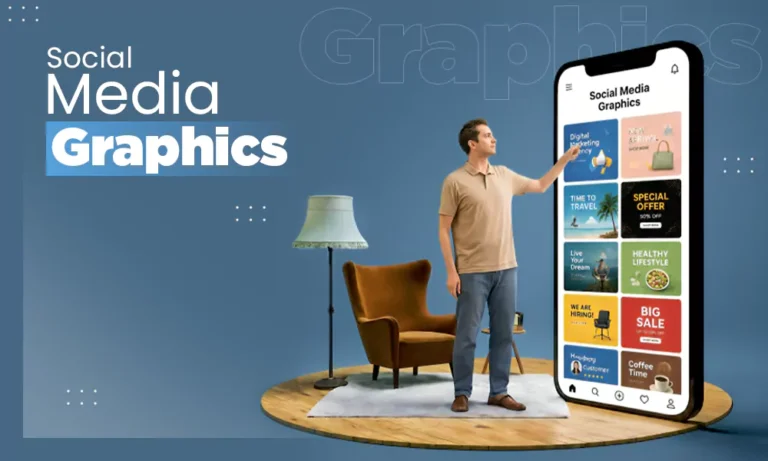
Social media graphics are custom attention-grabbing visuals created to stop the scroll and increase your brand’s online engagement. Designing these requires a strategic mix of imagery, thoughtfulness, and consistent branding. What they do is catch viewers’ interest and convey the message easily.
In this blog, we will see everything you need to know about designing graphics for social media. You will learn the core mechanics of how graphics work, design principles like hierarchy and contrast, and practical, real-life examples with tips to elevate your feed and improve graphic design for social media.
TL;DR
Social media graphics is a specialised branch of digital graphic design created for social platforms like Facebook, LinkedIn, Instagram, TikTok and YouTube. Unlike traditional print media, it is designed to fit mobile screens, stop users from scrolling and get immediate digital actions.
What are Social Media Graphics?
Think about the last time you opened Instagram. You probably scrolled past those posts of plain text without reading a single word. But then, a vibrant, high-contrast, catchy post caught your eye, and you immediately stopped scrolling. That is the power of social media graphics.
Social media graphics are the digital visuals designed, such as carousels, stories, posts, and infographics. They are designed to stop users from scrolling and get engagement on social media platforms. With over 5.4 billion people using social media worldwide, according to global data from Statista, standing out in these crowded feeds is more important than ever.
But social media graphics are not limited to that. They are the reason for brand identity because our brain processes images thousands of times faster than text.
How to Design Social Media Graphics?
Designing social media graphics requires a clear strategy before you ever open your design software. If you go directly to choosing colours and typing the message, your content might not be as powerful as these strategies can make.
What to Keep in Mind Before Starting Social Media Graphic Design?
Use this pre-design checklist to make sure your social media graphics bring real engagement and conversions:
- Identify your target audience
- Define the core campaign objective
- Make clear CTAs
- Confirm the dimensions of your platform
- Organise your brand kit assets
Let’s see how to design for social media.
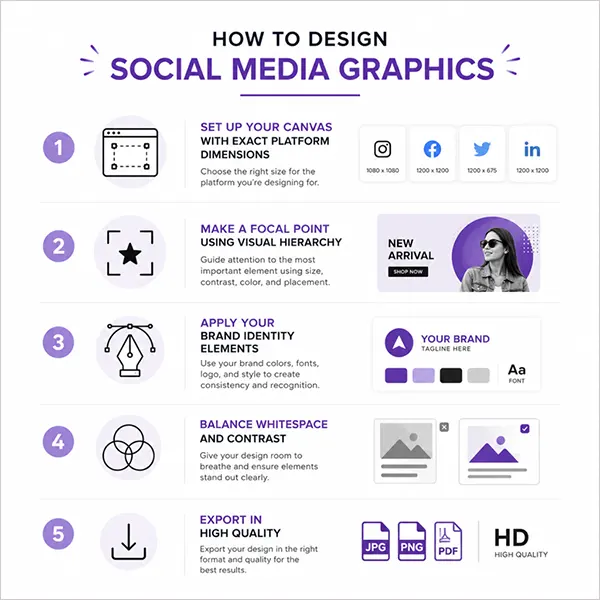
Step 1: Set Up Your Canvas with Exact Platform Dimensions
Different platforms use specific aspect ratios to maximise screen space. Setting up the correct canvas size does not make the design get cropped or pixelated.
- Instagram/LinkedIn Carousels: Use a vertical 4:5 ratio (1080 x 1350 pixels) for maximum screen.
- TikTok/ Reels/ Shorts Covers: Use a vertical 9:16 ratio (1080 x 1920 pixels).
- X/ Facebook Feed Images: Use a 16:9 landscape ratio (1200 x 675 pixels) or a 1:1 square ratio.
Step 2: Make a Focal Point Using Visual Hierarchy
Every graphic designer needs a single star. Decide on the most important element (the headline, photo, message, advertisement, etc.) and make it the largest item on the canvas. This will catch the viewer’s eye directly at the focal point.
Tip: Place your main hook in the upper or centre-left section, as most global users read left to right.
Step 3: Apply Your Brand Identity Elements
Bring in your pre-organised brand kits because using them will make your graphics feel more authentic to your business.
List of brand elements you can use:
- Brand name
- Logo
- Color palette
- Shape
- Imagery
- Typography
- Tone and voice
Step 4: Balance WhiteSpace and Contrast
Do not overcrowd your social media graphics because it will make them look chaotic and cheap. Give your text and images room to breathe by leaving empty space around them.
The Rule: Leave at least a 10% empty border around the outer edges of the graphic.
Step 5: Export in High Quality
Apps automatically compress your files when you upload them, which can make text look blurry. You need to save your work in the exact format the platform prefers to keep it sharp.
Tip: Always save graphics with text or icons as PNG files.
The Working of Social Media and Graphic Design
Understanding the working of social media and graphic design together helps you make meaningful social media graphics.
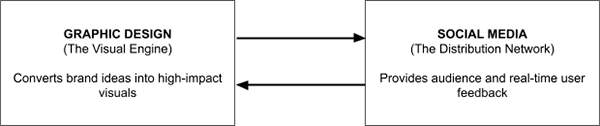
Social media platforms provide the digital infrastructure and the audience, while graphic design provides the visual source that carries the message. When an algorithm analyses a piece of content, it tracks user signals like stop seconds, shares, likes, saves, and more. Graphic design controls these signals because a well-designed graphic guides the viewer’s eye where you want it to go. This keeps them longer on the post and makes them take action that benefits the brand and adds to social media engagement.
The Interdependence of Graphic Design and Social Media
Graphic design is voiceless without social media, and social media is entirely blind without graphic design. Well, not completely, but yes, it is the testing ground of visual work. The power of graphic design is analysed using social media.
Why graphic design needs social media?
Earlier graphic design used to rely on billboards, print magazines, newspapers, shop windows, or other physical media. They do now also, but just a minor part. Today, social media serves as the global distribution network.
Without social media, graphic design remains in portfolios. Social media added life to this and a real-time purpose.
Why social media need graphic design?
Social media runs entirely on user attention, tracking how many milliseconds a thumb pauses over a post. Graphic design adds the visual element that triggers that pause. It takes business data and concepts into a visual hook.
Types of Graphic Design:
- Branding and visual identity
- Publication design
- Marketing design
- Illustration
- Packaging design
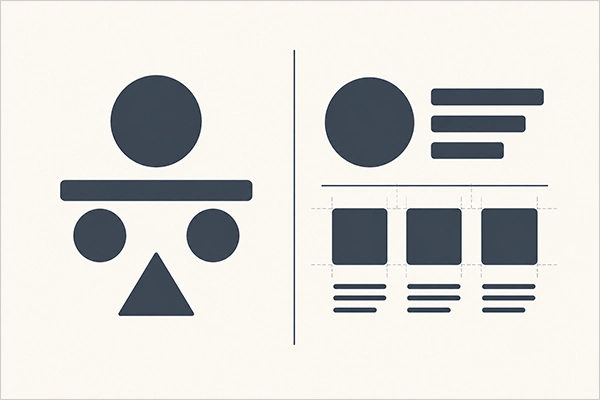
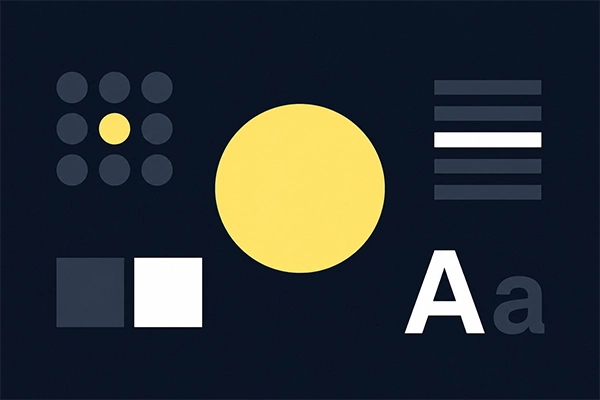
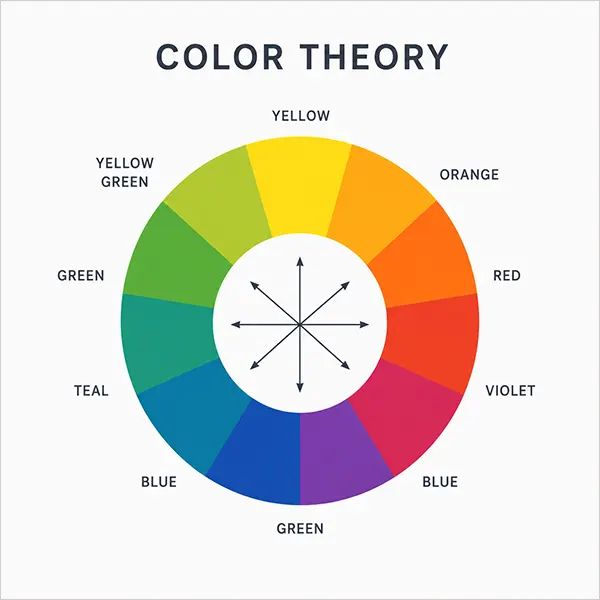
Principles of Social Media Design
To create images that successfully halt a fast-moving thumb, you must follow established visual guidelines. When you are designing graphics for social media, you cannot just use random designs and texts and fit them anywhere; you need to follow a structured approach.
Applying these core principles of social media marketing design will make your content look professional and drive engagement.
 |
|
 |
|
 |
|
 |
|
 |
|
 |
|
Graphic Design Tips for Social Media Content
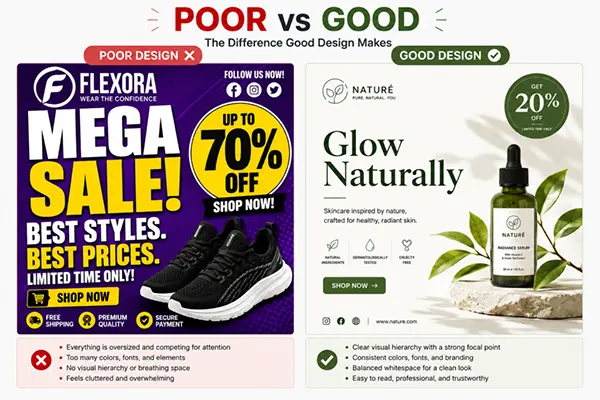
Nobody logs onto social media and hopes to read a boring, crowded post. Your audience is scrolling through their feeds to be inspired and entertained. If your social media graphic design looks like a cluttered textbook, people are going to thumb-past it.
Creating eye-catching graphics for social media doesn’t necessarily require a four-year arts degree. You just need to follow a few rules that match how the brain processes the information on the screen.
Here are simple tips for your social media marketing design.
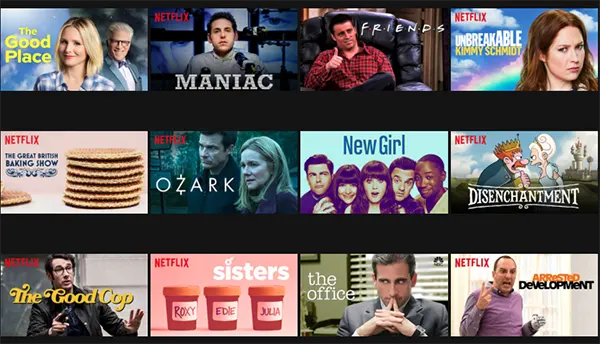
1. Pass the Blur Test
Before you export any social media graphic, lean back from your screen, squint your eyes and look at the image until it gets blurry. Can you still tell what the main headline is? If your text blends in with the background, your contrast is too low.
Example: Look at how Netflix designs its thumbnail tiles. They use high contrast, bold white or yellow text, blackened by dark shadows, so they are easy to read.
2. Negative Space
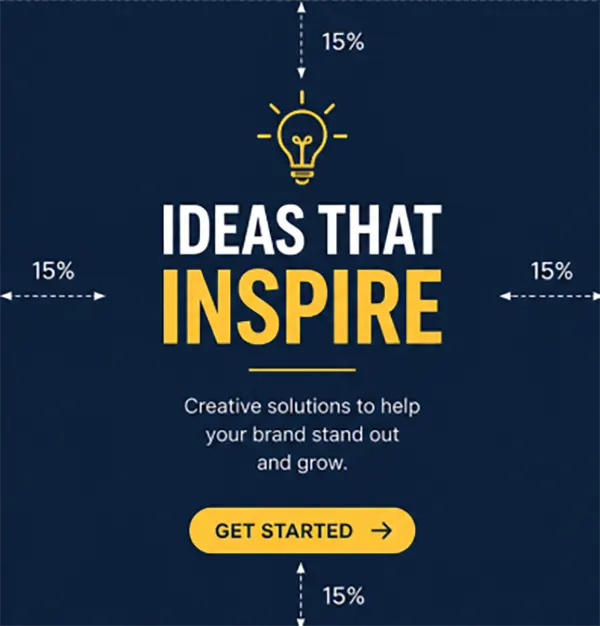
Don’t crowd every single corner of the social graphic with logos, icons, etc. Empty space (white space or negative space) gives your viewer’s eyes a place to rest.
Leave at least 15% completely empty border around the outer edges of your canvas. It prevents your content from being cut by the app’s native user interface buttons.
3. Stick to the “Two-Font Rule”
Having multiple fonts in a single graphic design social media post makes your business look uncoordinated and messy. Pick exactly two fonts for your entire brand kit. Use one thick, heavy font for your main heading to grab attention and one simple, thin font to add details or body text.
Think of Apple’s digital marketing layout. They use two typeface families across all digital presences.
San Francisco (SF)

New York (NY)

4. Pick one Single Star
If your headline is big, your subheadline is big, your discount circle is big, and your logo is big too, then NOTHING is big. You need to pick the single most important element of your post and make it the star of the show.
5. Design around the thumb zone
If you are designing graphic design for social media specifically, be it Instagram, TikTok, or YouTube, you need to remember that most smartphone users navigate their social media feeds using only one hand, using their thumb to scroll and tap.
If you place a call-to-action button or message in the extreme top corner of your square canvas, it becomes physically awkward for the user to reach.

Our Work: Social Media Graphic Case Studies
Seeing how specific design choices moved the business ahead is what we need now. So, here we open up our studio archives to show how strategic visual systems transformed ordinary social media posts and branding into high-performing digital assets.
Vanguard Iron

Our work with Vanguard Iron, an energetic Texas-based fitness apparel brand focused on building a bold visual presence for athletes and gym enthusiasts. They had an inconsistent identity across Facebook and Instagram.
To bring this brand to life, we executed a complete design overhaul:
- Professional Logo Design: We created an impactful logo to represent the brand’s energy, motivation, and theme. This logo increased the visual impact of the brand on the audience.
- Social Media Graphic Design: The brand was limited to Facebook and Instagram. We expanded the reach and designed friendly social media design graphics for Instagram, Facebook, Stories, and Reels by following the brand design process.
- Marketing Material Design: Apart from the graphic design for social media, we did the social media marketing graphic design using the brand’s design assets that we created. It is always beneficial to use the pre-designed kit of the brand so that the assets created are aligned with the brand.
All these designs for social media and marketing lead to brand development and engagement among the targeted audience successfully.
Remember: Design is to communicate, not to decorate.
Avenoir Botanicals

Next up is Avenoir Botanicals, an organic skincare brand. They had their posts full of text-heavy content, which was a poor social media graphic design practice. Our aim was to create graphics for social media that people actually started sharing, saving, and interacting with.
Pixifyo’s social media graphic design service designed a complete set of custom social media graphics that showed the brand’s luxurious identity across Instagram, Facebook, TikTok, and X. Every graphic is designed to maintain visual consistency with the new logo, packaging, typography, and colour palette. Product launch creatives, promotional posts, and campaign visuals all represent the brand’s premium position in skincare.
Our designs focused on:
- Creating social media presence
- Showcasing products through clean and engaging visuals
- Maintaining consistent branding across every social platform
Meridian & Moss
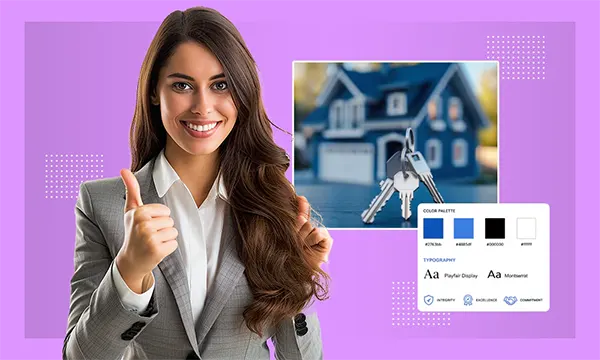
Meridian & Moss is our graphic design branding project in which our creative team developed visually compelling graphics for property listing, market updates, client testimonials, open house announcements, and brand awareness posts.
- To bring clean structure back to their brand, we implemented a Two-Font Hierarchy.
- Passing the mobile “blur-test” with high contrast lowered reading difficulty.
Our team stepped in to analyse their digital footprint and design a complete suite of professional social media graphics. We broke down their old layouts and rebuilt them from scratch. Every design followed the agency’s new brand identity using consistent typography, colours, layouts, and visuals.
The Final Takeaway on Social Media Graphics
So, that’s it! We covered everything from what social media graphics are to how they work. Great graphics are all about keeping things clean, simple, organised, and true to your brand. Pick one or two of our tips and start experimenting with your next post, and see what your audience loves the most.
If you want to save time, we can handle it all. Contact us today for your social media graphics design!
Frequently Asked Questions
Q1: How to design social media posts?
To design social media posts, start by selecting the correct dimensions for your specific platform. Build a clear visual hierarchy that guides the viewer’s eye to the most important element first. Finally, use consistent brand colours to make the post.
Q2: What are the principles of social media design?
The core principles of social media design include contrast, balance, repetition and alignment.
Q3: Why is white space important in visual design?
White space is important because it improves text readability by separating cluttered sections and draws the eye towards your primary focal point.
Q4: What are the 5 examples of graphics?
The 5 examples of graphics are:
- Branding and visual identity
- Publication design
- Marketing design
- Illustration
- Packaging design
Q5: How to make good social media graphics?
Good graphics require keeping the design simple by minimising the amount of overlaid text on the image. Use bold colour combinations and make sure the designs are fully optimised for small mobile screens, also.
Sources:
- What is graphic design – Figma
- Typography – Apple