

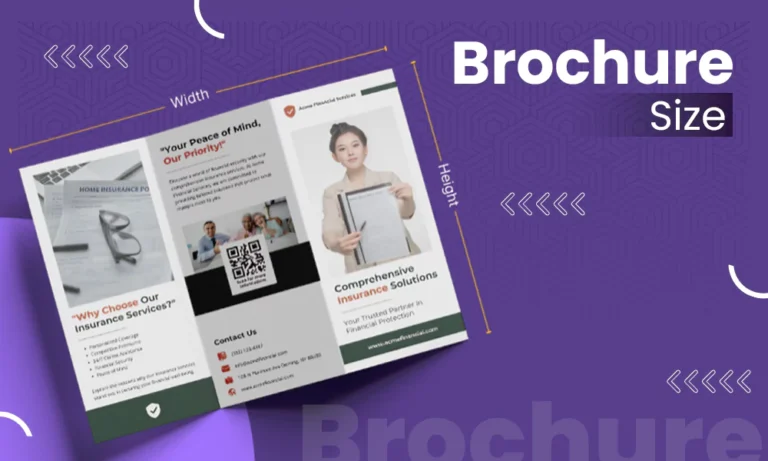
Over the years at Pixifyo, we’ve noticed confusion recur again and again. People use “brochure,” “flyer,” and “leaflet” interchangeably and are surprised later that their design doesn’t fit the paper. Getting terminology and dimensions right before opening your design tool saves reprints later.
Common brochure sizes in the US include letter size before folding, which is 8.5″ by 11″ and commonly folded into a trifold measuring 8.5″ by 3.67″ per panel. Smaller pamphlet sizes and A4 formats are also common, and choosing the right one depends on content, budget, and how you plan to distribute.
Quick Answer:
The typical size of an informational brochure using the standard letter fold (as in three-panel folds) is typically 8.5 inches wide and 11.0 inches tall. This can also be made into a half-fold, with the dimensions being 8.5 inches wide by 5.5 inches tall. Flyers differ from brochures since they are typically an open format (no folding), generally are the standard letter size (8.5 inches x 11.0 inches) or one of two other sizes: A5 (approximately 5.8 inches x 8.3 inches) or A6 (approximately 4.1 inches x 5.8 inches). Brochures and flyers may also be referred to as pamphlets.
What Is a Standard Brochure Size?
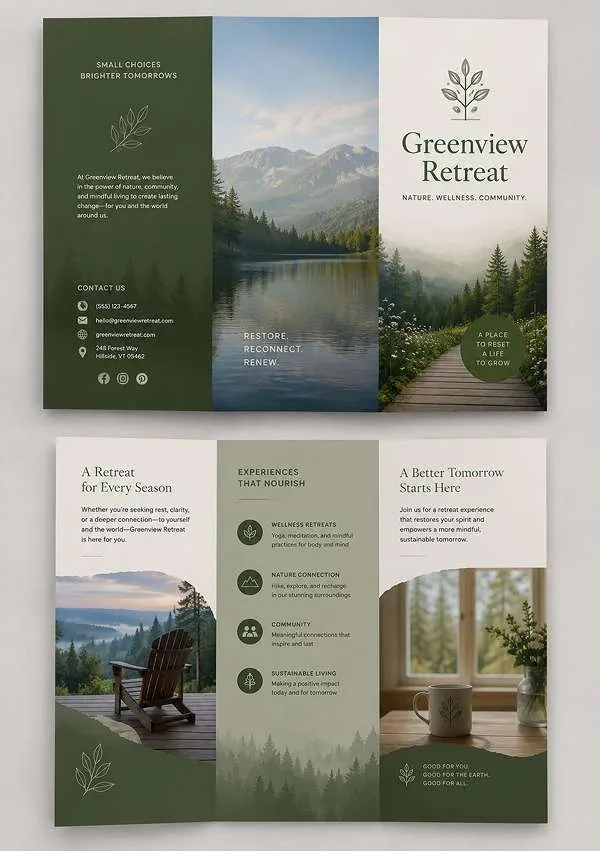
There isn’t a common or universal brochure size. There are just a few standard sizes (for printing) for most applications. The best size will depend on how your brochure is going to be folded. Because brochures are made by folding an uncut sheet of paper, they end up being smaller than the original sheet.
| Brochure Size Chart | |||
| Format | Flat (Unfolded) Size | Folded Size | Best For |
| Letter Trifold | 8.5″ x 11″ | 8.5″ x 3.67″ (per panel) | Sales sheets, service menus, general handouts |
| Letter Half-fold | 8.5″ x 11″ | 8.5″ x 5.5″ | Event programs, restaurant menus |
| A4 (International) | 8.27″ x 11.69″ | ~8.27″ x 3.9″ trifolded | Brochures for international or EU audiences |
| Legal | 8.5″ x 14″ | 8.5″ x 4.67″ trifolded | Detailed catalogs, longer product listings |
| Tabloid | 11″ x 17″ | Varies by fold | Larger brochures, posters, or spec sheets |
| Memo / Pamphlet | 5.5″ x 8.5″ | 5.5″ x 4.25″ half-folded | Compact pamphlets, in-store handouts |
Pixifyo Tip:
For those who are unsure about what size trifold to choose, we recommend choosing letter-sized. This is the most common (and therefore widely available) size when printing and usually offers better turnaround time and lower per-unit cost than any other custom options.
Brochure Size vs. Flyer Size: What’s the Difference?
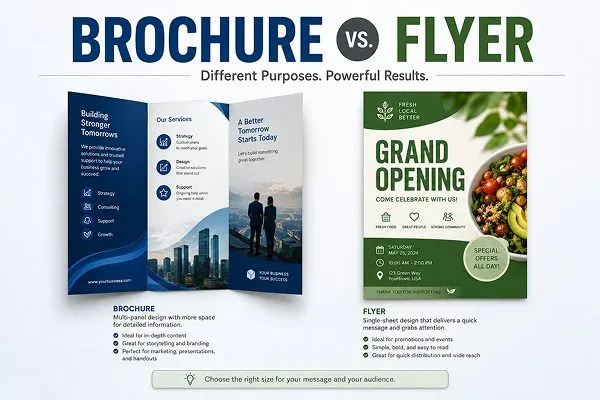
Flyers vs. brochures may seem like two different sizes, but their primary difference comes from how they fold; brochures will be folded, while flyers won’t. And although this is a small design element, it creates major differences as to how much information you’ll be able to include on each. The marketing funnel has many uses for each of these formats.
Flyers typically work best to send a single, quick message, i.e., a sale, an event, or a single offer. Brochures exist because you have too much to tell. a potential customer about your business or services to fit into a single flyer.
| Feature | Brochure | Flyer |
| Folded | Yes (tri-fold, half-fold, gate-fold, etc.) | No, single flat sheet |
| Typical use | Detailed info, product ranges, follow-ups | Quick announcements, sales, events |
| Common sizes | 8.5″ x 11″, A4, legal, tabloid | 8.5″ x 11″, A5, A6, DL |
| Where it’s used | Trade shows, sales meetings, and reception desks | Bulletin boards, mailers, tabletop stacks |
Definition:
Pamphlets and brochures are essentially the same thing. These terms are often used synonymously in the printing industry. The only informal distinction some people make is when they consider a pamphlet to be a shorter or less complex version of a brochure. However, there are no standard dimensions to define what constitutes a pamphlet versus a brochure.
Standard Trifold Brochure Size (Most Popular Choice)
A standard trifold brochure comes in at an 8.5″ by 11″ size of a typical letter sheet when folded down approximately to 8.5″ by 3.67″, creating six foldable panels when the brochure is opened completely, with three on each side.
This provides a middle ground between how much information can be included on the paper, along with being portable enough that business owners can easily take it with them.
Each panel typically serves a specific job in a well-designed trifold:
- Front Panel: Headline, brand, and a strong visual hook
- Inside-left Panel: The “why,” problem, or context
- Inside-center Panel: The core offer, service list, or product details
- Inside-right Panel: Pricing, specs, or testimonials
- Back Panel: Contact details, map, or QR code
- Back-outer Panel: Call to action, so it’s the first thing seen when picked up folded
Real-world example: A dentist handing out tri-fold brochures at a health fair would probably put the logo and tagline on the front page of the brochure, a list of services along with graphics/icons on the inside page of the brochure, and contact information (address, hours) and a QR code linking to an online scheduling system on the back page.
Pixifyo Tip:
Keep your most important message off the crease. When you place text or logos right where they are folded, this can cause them to be distorted, damaged by folding, etc. Leave at least 1/4 inch on either side of each fold when placing these elements. And, don’t forget to choose the right types of printing for your brochure.
Also Read: What is the Brand Design Process? Learn with Examples And Suggestions
Common Flyer Sizes and Dimensions
The most common flyer sizes are letter (8.5″ x 11″), A5, A6, and DL, and picking between them comes down to how much you need to say and how the flyer will be handed out or displayed.
| Flyer Size Chart | ||
| Size | Dimensions | Best For |
| Letter / A4 | 8.5″ x 11″ / 8.3″ x 11.7″ | Wall postings, information-heavy flyers |
| A5 | 5.8″ x 8.3″ | Handouts, table displays, mailer inserts |
| A6 | 4.1″ x 5.8″ | Postcard-style flyers, mailing |
| DL | 3.9″ x 8.3″ | Rack cards, mailers, till-point handouts |
If your flyers need to go inside an envelope that will be sent via mail, using A6 or DL envelopes will help save money. If your flyers are being placed in a location such as a corkboard or handed out at a table display, and readability from several feet away is important, then a letter or A4 will give you enough space to create your design.
Did you know?
A flyer that has been intentionally folded into its final design, whether it’s one time or multiple times, officially becomes a brochure.
How to Choose the Right Brochure or Flyer Size
Before setting your final size, consider, again, the three most important things that determine what size works best for you: the location of the item (where does it live), the audience (who reads it), and your budget.
- Consider how you will be distributing this material: If you will be mailing the items, then they need to be able to fit into an envelope. For example, the standard letter envelopes are DL or A6. If you plan on handing these items out at a booth or from a reception desk, then you can afford to make them larger.
- Match the size to your content: The one service or offer contained in a flyer is ideal for a one-page piece. On the other hand, if you are offering several services, a product catalog, or a step-by-step instructional item, then you would benefit from using a format with additional panels, such as a trifold or half-fold brochure.
- How much money do you want to spend on printing?: Printers charge less per unit for standard sizes than for non-standard sizes because they already have the paper stock and equipment set up for those standard sizes.
Trifold Brochure Template Tips
When you’re building a good trifold brochure template, consider the fold before putting a single word of content into the template. Design your panels first, then put your words into those templates, not the other way around.
- Export your design as a print-ready PDF at 300 DPI to ensure your images and text do not blur when they are printed.
- Include bleed (usually 0.125″) around the edges to prevent the printer from cutting too much of your images and/or text while printing.
- Be mindful of the panel width. With a standard letter-sized tri-fold, the panel that will be folded inward is typically approximately 1/16″ narrower than the outer two panels so that it can neatly fold inward.
- Font sizes should be readable on each individual panel. Although an entire page’s worth of a certain font may read fine, a smaller version of that same font may appear crowded on a 3.67″ wide panel. Enlarge your body font slightly if necessary.
Common Mistake: Creating a trifold brochure design with one long image that spans both sides of the middle panel (the inner-most panel) and doesn’t account for where the folding creases fall. Always view your design prior to sending it out to be printed with the fold guide option turned on.
Mistakes to Avoid When Choosing Brochure Dimensions
One of the most typical and easiest-to-prevent errors made by small businesses with their print projects is incorrect brochure sizes.
- Picking a brochure size based solely on cost: While a cheaply priced item may be an attractive option, choosing an inexpensive size will only lead to issues when trying to fit all of the content you want into the brochure so that it does not appear cluttered.
- Not researching mailing guidelines for brochures: When planning to send out large quantities of your printed material via the post office, be sure to research and determine what the postal regulations state regarding the mailing of brochures, as well as what the maximum and minimum weights are for each brochure size/weight.
- Ignoring the fold in your design: Any graphic or text placed across a fold will not visually flow as planned once the brochure has been folded. Before ordering a large quantity, mock up your brochure to see how the folds will affect the overall appearance.
- Not getting a hard copy of your project: Although a digital version appears perfectly fine on a computer screen, holding your finished product in your hands at 8.5″ x 3.67″ may reveal differences in how the layout feels. To ensure this doesn’t happen, create one sample print prior to sending off the remainder of your order.
Also Read: How To Fix Grainy Photos? Methods, Hacks, and Suggestions
Conclusion
The most important factors in choosing the correct brochure size are how much information you wish to include, how you plan on distributing your brochure, and what your budget is.
Unless you have a compelling reason to do otherwise, start by using a standard brochure size such as the letter trifold. This will help save you time and money in the long run.
FAQs
Q1: What is the standard brochure size?
The most commonly used standard brochure size is 8.5 inches by 11 inches (letter size) and can be either folded into thirds (trifold) to create three panels with dimensions of approximately 8.5 x 3.67 inches or folded in half (half-fold) to create two panels at 8.5 x 5.5 inches.
Q2: Is there a distinction between a pamphlet and a brochure?
No, pamphlets and brochures both refer to the exact same type of printed product. The terms are interchangeable throughout the print industry.
Q3: What is the standard size of a trifold brochure?
A typical trifold begins as an 8.5-inch by 11-inch piece of paper that has been folded into three sections, creating three sections that measure approximately 8.5 x 3.67 inches each. This creates six available surfaces on which you may place your content.