

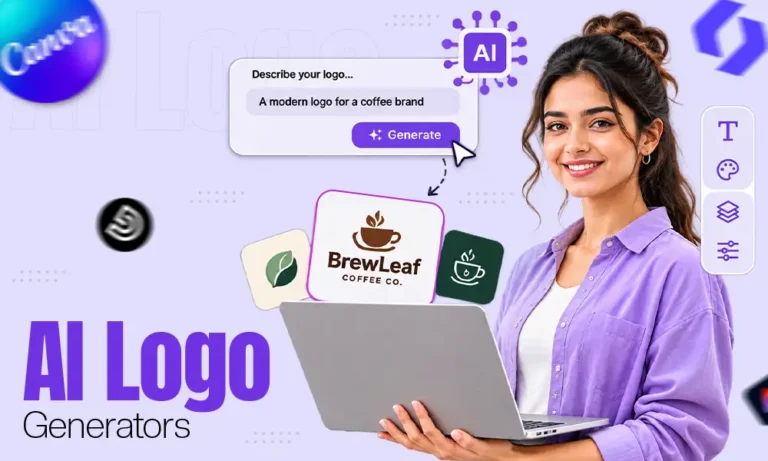
A logo is the virtual design used by a company as a symbol of representation, it is played as judging symbol by the people for newly startup business, where hire a designer is not the budget friendly option hence ai generator play role in this.
The AI tools draw logo on the basis of details as business name, your design preferences, and a few prompts to generated the desired logo
This the guide which provide you the information and compare 10 logo generators with its feature and limitations so that you can pick the right one for your business.
Last updated: November 2026
| Category | Our pick | Why it stands out |
| Best overall | Looka | Logo creation plus matching brand assets |
| Best free | Canva | Accessible templates and simple editing |
| Best for startups | Tailor Brands | Logo and business branding features |
| Best for text-in-logo | Canva | Flexible fonts and typography controls |
| Best for brand kits | Looka | Helps keep brand materials consistent |
What Is an AI Logo Generator?
An AI logo generator work on the information provided by user for generating the logo, Some generate images from a prompt; others will take a combination of AI suggestions with templates, icons, and fonts.
How AI Logo Makers Work
Most AI logo makers follow a straightforward process:
- Enter your business name and your industry.
- Choose the colours and styles of design.
- Describe your brand personality.
- Generate logo concepts.
- Customize your favorite design.
- Download the final files.
For instance, a coffee shop owner would go for warm colours, simple type, and a coffee leaf as their symbol.
AI Logo Generator vs. Template Logo Maker vs. Designer
| Feature | AI generator | Template maker | Designer |
| Creation | AI-assisted | Pre-designed layouts | Custom |
| Speed | Fast | Fast | Slower |
| Customization | Tool-dependent | Limited | Extensive |
| Cost | Free or paid | Free or paid | Usually higher |
| Best for | Quick concepts | Basic designs | Unique branding |
AI tools are useful for exploring ideas. Templates save time, and professional designers give you far greater creative control.
How We Tested the Best AI Logo Generators
The tested recommendation we give, by evaluating in terms of design quality, readability, customisability, file formats, pricing, commercial rights, and brand kit.
Criteria (quality, originality, file formats, pricing, commercial rights)
We considered these important factors:
- Logo have a professional look?
- Tool come up with original ideas?
- Users change the fonts, colours, and icons?
- File formats: Are PNG, SVG, EPS, and PDF available?
- Pricing? Are the downloads free or do you have to pay for them?
- Commercial use permissions clearly laid out?
- Can the users produce matching branded materials?
Best AI Logo Generators Reviewed
1. Looka
Looka blend AI to generate logo concepts from your given business name, your industry and your design preferences. It also provides brand kits which contain matching business cards and social media designs.
– Pros: easy to use, Scalable Vector Options, brand kit options a
– Cons: once purchased you can’t change the name, some download are paid, limited manual customization
– Export formats: PNG, SVG, EPS and PDF (depending on the package)
2. Canva AI Logo Generator
Canva provide the pre-made templates and logo creation with AI helps along with font and graphics.You can explore more to create marketing or branda materials.
– Pros: easy and very friendly to beginners, drop and drag option, very flexible.
– Cons: Generic-Looking Designs, no advanced photo manipulation, No Stable Offline Mode.
– Export formats: PNG, JPG, PDF, and SVG (depending on your plan)
3. Design.com
Design.com have AI generated logo ideas for a variety of industries. it uses simple text descriptions and chat commands to generate the logo
– Pros: editable text, Free Vector Option,Instant Animation, Full Brand Sync
– Cons: limited pixel control, Subscription Upsells, No Direct Trademarking.
– Export formats: PNG, SVG & EPS, JPG, MP4 & GIF, PDF.
4. Adobe Express
It can compete with canva as it provide the drop and drag method with advanced Firefly generative AI models.
– Pros: One-Click Video Editing, built-in social media calendar to plan, free access to thousands of premium Adobe Fonts, Advanced Adobe Firefly AI.
– Cons: Slower Loading Speeds, using Firefly-generated images requires a paid premium plan, Confusing Interface for Beginners.
– Export formats: GIF, MP4, PDF, JPG and PNG
5. Logopony
It is based on random generation algorithms for genarting AI logo to create create clean, flat, and timeless logos.
– Pros: Automatic Web & Print Formatting, One-Time Payment Option, Live Collaborative Sharing, Clean and Modern Aesthetics.
– Cons: Limited Icon Pool, No Deep Chat or AI Prompting, Lacks Multi-Page Marketing Tools, No Free High-Res Downloads
– Export formats: PNG, JPG, SVG & PDF, Pre-Formatted Social Assets
6.Chatgpt logo generator / Image Generators
it is highly text based method to genarte completely original, highly creative logos from given structured text.
– Pros: Infinite Creative Freedom, chat with ChatGPT to figure out your brand strategy, Rapid Prototyping, Photorealistic & Complex Art
– Cons: struggle with spelling, No Built-in Layout Editing, No Vector File Output, No Automatic Brand Formatting
– Export formats: WEBP, JPG, PNG
7. Tailor Brands
it create logo based the design prefrence given by you, Tailor Brands is an automated, AI-driven branding and business setup platform
– Pros: Smart Typography Focus, Instant Digital Brand Kit, Built-in Website Builder, All-in-One Business Launch
– Cons: Subscription-Heavy Pricing, Hidden Costs for Businesses, Limited Editing Flexibility, Abstract Icons Feel Similar
– Export formats: EPS & SVG, PDF, JPG, PNG.
8. Zoviz or Brandmark
it is a deep-learning AI, concept around multi-asset Brand Kit.It can also be of use in the branding process.
Pros: All-in-One Operations Kit, Right-to-Left (RTL) Support, Extensive Variant Automation, Comprehensive Brand Book
Cons: Repetitive AI Concepts, No Free Downloads, Basic Core Editor
Export options: DOCX, PDF, SVG & EPS, PNG & JPG
9. Wix Logo Maker
step-by-step AI logo generator for the person who want to build a professional website and need a matching visual identity
Pros: Deep Website Integration, Excellent Icon Library, Highly Flexible Editor,Affordable Entry Tier, Buying any paid package grants you complete commercial usage rights
Cons: No Free High-Res Downloads, Generic AI Combinations, Ecosystem Upsells,No Chat-Based AI Prompting
Export options: PNG, JPG, SVG, Pre-Formatted Brand Kit Assets
10. Hatchful or Free Alternative
100% free AI logo maker built specifically for entrepreneurs, side-hustlers, and dropshippers who need a clean, professional logo
Pros: Completely 100% Free, Instant Social Media Brand Pack, Fast and Simple, Perfect for E-commerce,No Account Required to Design
Cons: No Vector File Output, Highly Generic Templates, Very Rigid Editor, Basic Icon Library
Export Options: PNG, YouTube Profile & Channel Art, X (Twitter) Profile & Banner, Instagram Profile, Facebook Profile & Banner
(Each: pros, cons, price, export formats, screenshot)
Comparison Table (price, vector files, commercial use, brand kit)
| Tool | Pricing | Vector Files | Commercial Use | Brand Kit |
| Looka | Paid downloads | Yes | Check licence | Yes |
| Canva | Free / Pro | Plan-dependent | Depends on asset licence | Yes |
| Design.com | Free / Paid | Package-dependent | Check package | Available |
| Adobe Express | Free / Premium | Limited options | Depends on asset licence | Available |
| Logopony | Paid | Package-dependent | Check licence | Available |
| ChatGPT / Image Generators | Free / Paid | Usually no | Platform-dependent | No |
| Tailor Brands | Paid | Package-dependent | Check package | Yes |
| Brandmark | Paid | Yes, selected plans | Check licence | Yes |
| Wix Logo Maker | Paid downloads | Package-dependent | Check licence | Available |
| Shopify Logo Maker | Free | Check current options | Check terms | Limited |
Features and licensing are subject to change, so always check the current details before you buy.
Best Free AI Logo Generator and Logo Creator
Free logo creators platform play crucial role in business for new startup and entrepreneurs.They may not necessarily provide free high-quality downloads.
Best Free Tools Compared
All of these fall under the category of “logo creator free”
- Canva
- Adobe Express
- Shopify Logo Maker
- Design.com.
- Wix Logo Maker
Free vs. Paid: What You Actually Get
| Feature | Free | Paid |
| Design concepts | Often available | Available |
| Basic editing | Usually included | Included |
| High-resolution files | May be limited | Commonly included |
| Vector formats | Varies | More commonly available |
| Brand kits | Limited | Often included |
Watermarks, Low-Res Files and Hidden Paywalls
Many platform offers free design byt have a paywall on the download. so check it’s watermark-free, the quality is good (not too low) transparent background, it’s a vector, and it’s commercial friendly.
No one wants to get to the end and then have to pay.
Best AI Logo Generators by Use Case
Startups and Small Businesses
Startup businesses want a professional logo for their website, packaging and their social media at a low cost. Looka, Canva and Tailor Brands are all good options for logo and brand creation.
Example: A new coffee shop could use Looka to produce a warm brown cup icon.
AI Company Logos
Tech companies want a modern logo with clean fonts, abstract and futuristic in nature. Brandmark, Looka, and Adobe Express can all help with that.
Example: An AI software company could use Brandmark to generate a couple of neural network concepts using blue and purple.
Construction Company Logo Ideas and Building Logos
Construction companies want bold logos with building icons and strong shapes. Canva, Looka, and Design.com are all very good in that respect.
Example: A construction company could use Canva to create a logo which is the shape of a building in black and orange.
Letter Logo Maker
Letter logos are great for creating a simple, memorable logo. Canva, Looka and Brandmark can all assist you with this.
Example: Modern Homes could use Looka to produce some overlapping “MH” logos.
Illustration Logos
Illustration logos are great for creating a unique logo. Adobe Express, Canva and the various AI image generators can all be of use in that regard.
Example: A bakery could use an AI image generator to create a rather cute cupcake mascot in pastel colours.
Random Logo Generator for Ideas
Random logo generators are great for coming up with all sorts of ideas. Looka, Brandmark, and Design.com are all good at it.
Example: A fitness brand might use this to generate some logo ideas (dumbbells, lightning bolts, and a bold font).
Can ChatGPT Generate a Logo?
Yes, ChatGPT can be used to generate a logo from a text prompt. You may well then need to fiddle with the final output.
Strengths and Weaknesses
Strengths
- Quick and creative ideas
- Different styles, colours and concepts
- Easy to try out different ideas
Weaknesses
- May have incorrect text and spelling
- May need to manually edit the design
- Usually raster images
Best Prompts for Logos (copy-paste list)
Logo design can be extremely prompt-dependent. To work out what works best with your company logos, use the same prompt across all the tools to have desired choice of what you want.
Example: Food Logo – Design a fun logo for a burger restaurant called Bite House. Use a burger image and warm colours.
Fixing Text Errors and Getting Vector Files
AI-generated text can have spelling errors. If the brand name is misspelled, then create the symbol without the text and add the correct text in a design editor.
Adjust the font and spacing, export as a transparent PNG, and either recreate the artwork or convert it to SVG. Always check the spelling.
AI Logo Generator Limitations
Originality and Trademark Risks
AI-generated logos can be very much like existing logos. If you use common symbols in your prompt (buildings, crowns, leaves, stars, etc.), you could well end up with a very similar logo.
Make sure there aren’t any similar brands and check out the relevant trademark sites.
Copyright and Ownership of AI Logos
Not all AI logos will be yours. That will depend on the terms and conditions of the tool you’re using, the assets that you’ve used, and of course the local copyright laws.
For instance, Canva and Adobe Express have different licensing. Always check the T&CS before you use your logo on any product, website, or business.
Raster vs. Vector Files (how to convert)
Raster files (PNG and JPG) are pixel based and will look blurry when you scale them up. Vector files (SVG, EPS and AI) are path based and will remain crisp at any size.
Example:
- Raster – PNG for websites and for social media.
- Vector – SVG or EPS for banners, business cards and large prints.
To turn your raster art into vector files you can use Adobe Illustrator (Image Trace) or Inkscape (Trace Bitmap). Clean it up, fiddle with the edges and colours and then export.
| Format | Common use |
| PNG | Websites and social media |
| JPG | Digital graphics |
| SVG | Scalable logo artwork |
| EPS | Professional printing |
| Sharing and print workflows |
How to Choose the Best AI Logo Generator
Budget, File Needs and Brand Kit
Make sure you invest in the tools that are suitable for your business.
- Low cost – give a try to the free tools.
- Professional printing – ensure that you have an SVG, an EPS or a vector PDF.
- Full branding – choose a tool that has branding kits.
- More control – search for customisation features.
- Professional design help – long term identity.
Checklist Before You Download
- Business name is spelled correctly.
- Logo can be seen at a low resolution.
- Can create designs on light and dark surfaces.
- You can get a transparent PNG.
- If necessary, vector graphics are provided.
- The terms of commercial use are very simple and easy to understand.
- There are similar trademarks that have been registered.
- The pricing and subscription agreements are very simple.
How to Create a Logo with AI: Step by Step
Write a Strong Prompt
Describe your business and your audience to the tool and your attitude towards it.
For instance: Design a contemporary logo for a home-building firm. Symbol – geometric roof in charcoal grey and orange, bold type.
Pick and Refine a Concept
Brainstorm a few options and narrow them down to the best options. For clarity, check out the shapes, type and colours for good balance and that fit your brand.
Do not simply use a pretty logo, just because it’s cool. Look for one which tells a good story.
Test on Light, Dark, and Small Sizes
Check your logo on the website headers, social media pages, business cards, packaging, signage and uniforms.
If it’s too hard to read at a small size, then just make it simpler. A logo should work outside of its glorious full screen premiere.
Export Final Files
Download a transparent PNG (for digital use) and a vector version (if possible) for print use. Be sure to keep the editable source file so that when it’s time to come back and update the design in the
If you don’t have a design treasure hunt ahead of you, you don’t need to worry.
AI Logo vs. Professional Logo Designer
The benefits of using a professional designer are that they can create a more creative and customised logo, whereas AI logo generators are fast and affordable. It’s all down to budget and need.
Cost and Time Comparison
| Factor | AI tool | Designer |
| Cost | Usually lower | Usually higher |
| Speed | Minutes or hours | Days or weeks |
| Customization | Tool-dependent | Extensive |
| Brand strategy | Limited | Can be comprehensive |
When AI Is Enough
AI is good for side projects, good for developing a brand, good for early-stage startups, and good for startups in the process of building their brand. It’s also a very good way of coming up with ideas prior to you actually going down the route of a proper design.
When to Hire a Designer
For a unique identity, correct brand guidelines and a logo that’s going to last long, think designer.
How a Designer Can Polish an AI Logo
A designer can create the most professional and memorable brand identity, based on the original logo design. The designers can tweak the typography, add spacing, add proportion, remove extraneous detail and even alter the colors to reflect the personality of the brand and to make complex shapes less complicated.
Final Verdict: Which AI Logo Generator Should You Use?
The best tool is going to be down to your budget, your brand and the file formats you need.
- Looka
- Canva
- Design.com.
- Adobe Express
- Logopony
- ChatGPT
- Tailor Brands
- Brandmark
- Wix Logo Maker
- Shopify Logo Maker
Before you decide, check out the features, export options, and terms for commercial use. A good logo doesn’t necessarily have to have a hundred effects or go full on “personality crisis”. It just needs to be clear, it needs to be recognisable and it needs to be the right logo for your brand.
Frequently Asked Questions (FAQPage Schema)
What is the best AI logo generator?
Looka is considered good for complete branding.
What is the best free AI logo generator?
Canva, Adobe Express, and Shopify Logo Maker.
Can I use an AI logo commercially?
Commercial use is subject to the platform’s license and the assets included in your design. Please review the terms before you go live.
Can ChatGPT make a logo?
Yes, ChatGPT can come up with logo concepts from a prompt. Just need to check them over before you go and publish them.
Are AI-generated logos copyrightable or trademarkable?
Copyright protection is governed by local law and requires a human element of creativity. Trademark registration is a different process entirely and involves issues of distinctiveness and existing marks.
Which AI logo maker gives vector files?
Looka, Brandmark, and the various other logo makers will provide you with vector exports as part of their qualifying packages. Check that SVG, EPS, or vector PDF are available before buying.
Is Looka or Canva better for logos?
Looka is all about the logo and the brand kit. Canva is more flexible when it comes to the day-to-day marketing materials and template-based design.
How much does an AI logo cost?
There are some that offer free and others that offer paid options of a few dollars through well over $100. Subscription and branding kits are available, and will cost more.
Can I make a logo for a construction company with AI?
Yes. Describe the company’s services, colors, and style. Use simple building symbols and bold typography, then test the logo on uniforms, vehicles, and signage.